
The “Formula” Step is a code editor block where you can perform logical and arithmetic operations, use built-in functions, and manage variables.
With it, you can assign values to fields and variables, calculate metrics, compare data, and build complex scenarios directly inside BotHelp.
Where to Find It and How to Enable It
- In the flow builder, select Add Step → Formula.
- A code editor will open inside the step.
For convenience, you can use the expanded editing mode (the “expand” icon).
How the “Formula” Step Works
- The subscriber enters the step.
- The code in the “Formula” editor is executed (from top to bottom, line by line).
- If the execution is successful, the values are written to the selected variables, and the bot continues along the configured Next Step transition.
- If an error occurs during execution (for example, division by zero, an empty value, or incompatible types), the execution stops at the line where the error occurred.
The results from the lines that were successfully executed are saved, and the remaining code is not executed.
After that, the subscriber proceeds to the next step via the Next Step transition.
Variable Naming Rules
1. General Rules
- A variable name can only start with a letter, not a number.
✅Sum1❌1Sum
- Allowed characters: Latin letters, Cyrillic letters, numbers, and underscores.
- Names cannot match:
-
-
system field names (
user_id,bh_user_id,cuid, etc.); -
the prefixes
clientandglobals; -
reserved programming language words, e.g.,
print,true,false, etc.
-
2. Spaces in Names
If you need spaces in a name, access the variable using index notation:
globals['client's age'] = 27
client['ORDER ID'] = 'A-42'
3. Code Limitations
-
Total code size: up to 50 lines and 5000 characters (including line breaks and tabs).
-
String literals (text in quotes
"...") — up to 1000 characters.
4. Recommendations
-
Use Latin letters for variable names.
-
For multiple words, use underscores:
blog_webinar,order_total. -
Give variables meaningful and unique names — it simplifies debugging and teamwork.
Data Types:
-
Number (integer and decimal):
10,2.5 -
String:
"text" -
Boolean:
True,False -
Date/Time:
"2025-10-10"or"10.10.2025 12:00:00" -
Empty Value:
null
Note: Lists ([1,2,3]), dictionaries ({"a":1}), and objects (None) are not supported in the “Formula” step.
Available Functions in the “Formula” Step
The “Formula” step supports a set of built-in functions for working with numbers, strings, dates, and logical conditions.
They allow you to perform calculations, conversions, and validations directly within the scenario, without relying on external systems.
For clarity, copy the template using the link — click Copy in BotHelp, enter the domain of your account, and click Save bot. Within a few minutes, the template will be copied to your account. After that, you can edit the blocks to your needs.
Mathematical Functions
| Function | Description | Example |
|---|---|---|
round(x) |
Rounds a number to the nearest integer (0.5 rounds up). | round(2.5) → 3 |
abs(x) |
Returns the absolute value of a number. | abs(-5) → 5 |
int(x) |
Converts a value to an integer. | int("42") → 42 |
float(x) |
Converts a string to a floating-point number. | float("12.34") → 12.34 |
str(x) |
Converts a value to a string. | str(100) → "100" |
Arithmetic operations supported: +, -, *, /
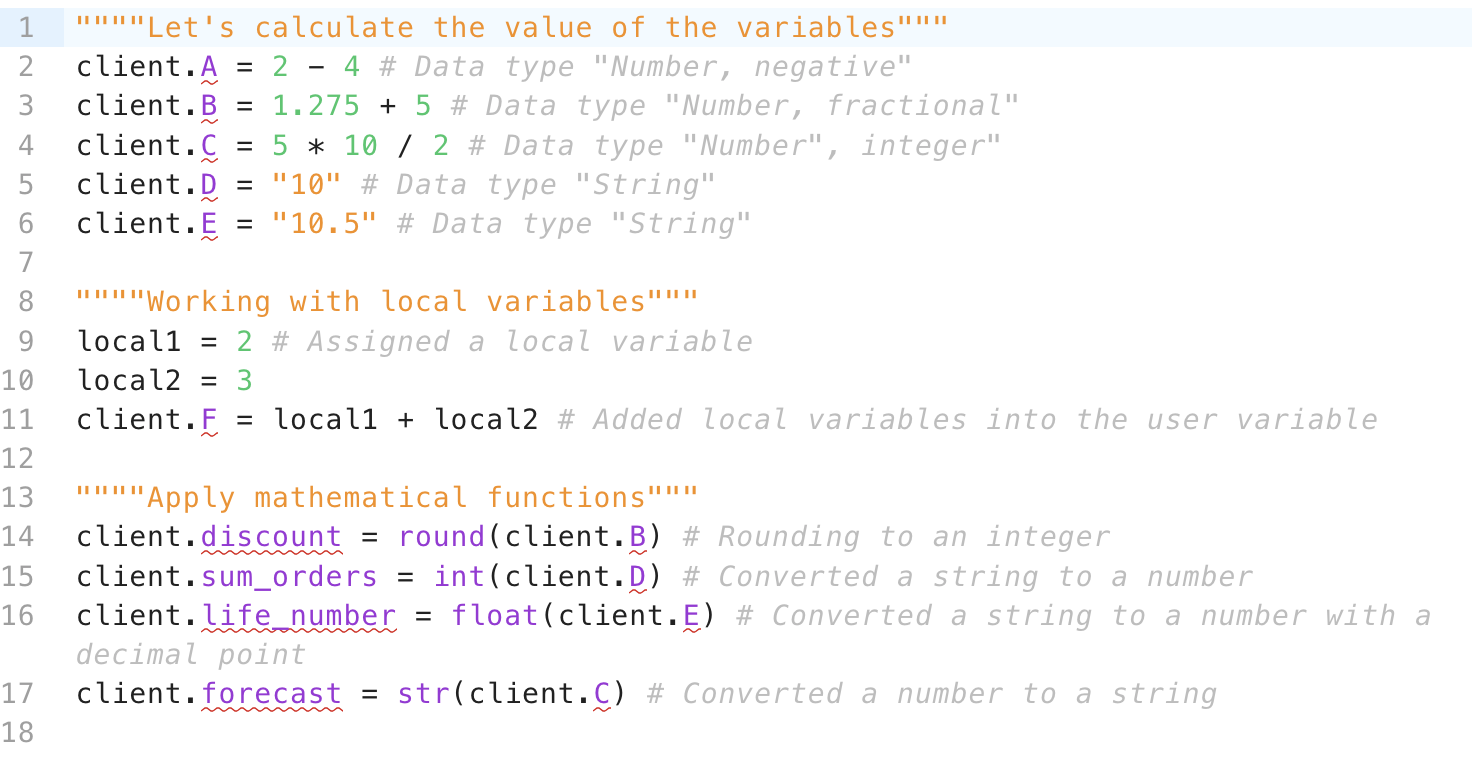
Let’s look at an example of calculations. The variables must be set in advance.
“”””Let’s calculate the value of the variables”””
client.A = 2 – 4 # Data type “Number, negative”
client.B = 1.275 + 5 # Data type “Number, fractional”
client.C = 5 * 10 / 2 # Data type “Number”, integer”
client.D = “10” # Data type “String”
client.E = “10.5” # Data type “String”
“”””Working with local variables”””
local1 = 2 # Assigned a local variable
local2 = 3
client.F = local1 + local2 # Added local variables into a user variable
“”””Apply mathematical functions”””
client.discount = round(client.B) # Rounding to an integer
client.sum_orders = int(client.D) # Converted a string to a number
client.life_number = float(client.E) # Converted a string to a number with a decimal point
client.forecast = str(client.C) # Converted a number to a string
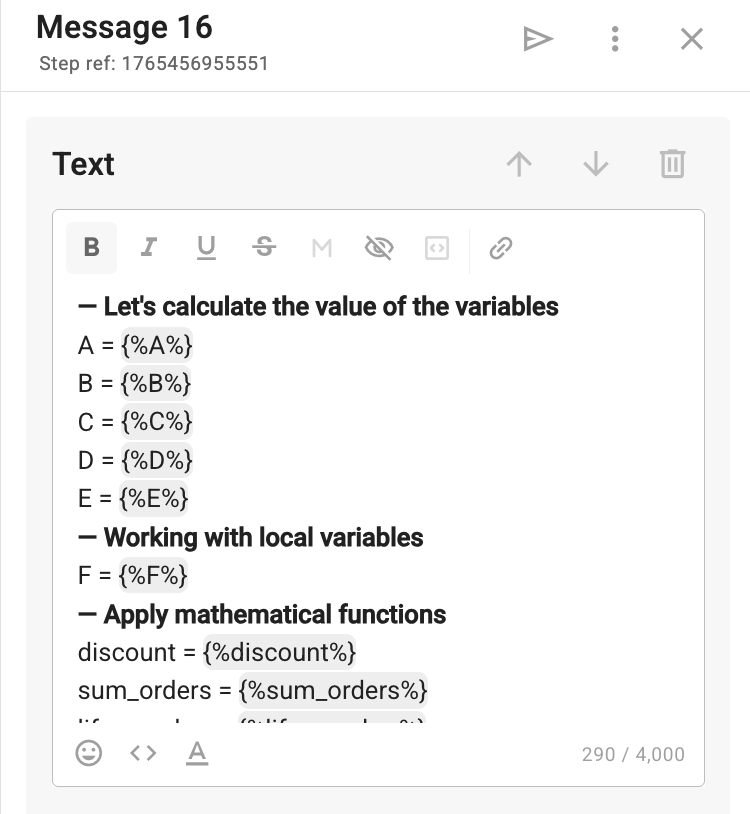
— Let’s calculate the value of the variables
A = {%A%}
B = {%B%}
C = {%C%}
D = {%D%}
E = {%E%}
— Working with local variables
F = {%F%}
— Apply mathematical functions
discount = {%discount%}
sum_orders = {%sum_orders%}
life_number = {%life_number%}
forecast = {%forecast%}
Logical and Conditional Functions
| Function | Description | Example |
|---|---|---|
if(condition, then_value, else_value) |
Checks a condition. Returns then_value if true, otherwise else_value. |
if(client.age >= 18, "Adult", "Minor") |
if(condition, then_value) |
If else_value is not specified, returns an empty string. |
if(is_null(client.phone), "Phone not provided") |
is_null(var) |
Checks if a variable is empty. | is_null(client.email) → True |
and, or, not |
Logical operators for combining conditions. | if(a > 0 and b < 10, "ok") |
Boolean values supported: True, False
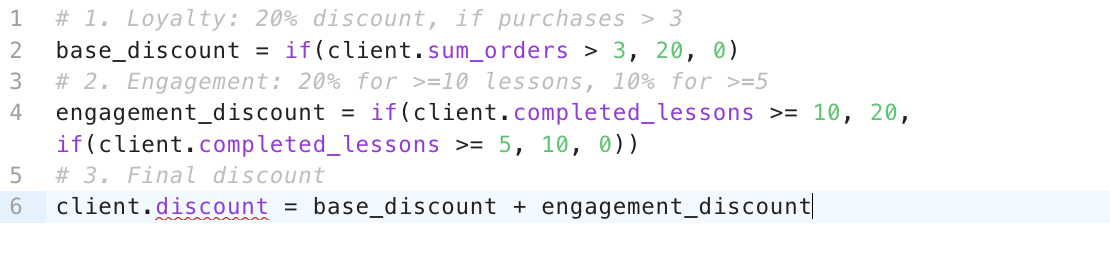
In this example, we will calculate the final discount based on two parameters:
— the presence of past purchases,
— the number of completed lessons.
Important: before starting, make sure that all the necessary variables have been created in advance.
1. In line 2, we use the logical IF condition:
- if the value of the variable (for example, the number of past purchases) is greater than 3, we set base_discount = 20;
- in all other cases (less than 3) — 0.
2. In line 5, we create a condition for the number of completed lessons. But in this case, the condition is double:
- if the value is greater than or equal to 10 — the variable engagement_discount = 20;
- if the value is greater than 5, then the variable engagement_discount = 10;
- otherwise (in all other cases) — 0.
3. Note: base_discount and engagement_discount are variables without prefixes.
They work only within the current “Formula” step and are used for intermediate calculations.
These are exactly the variables we will need later.
4. In line 8, we sum the local variables:
discount = base_discount + engagement_discount
The resulting value is assigned to the user variable discount, which can be shown to the subscriber in the following steps of the scenario.
# 1. Loyalty: 20% discount, if purchases > 3
base_discount = if(client.sum_orders > 3, 20, 0)

# 2. Engagement: 20% for >=10 lessons, 10% for >=5
engagement_discount = if(client.completed_lessons >= 10, 20, if(client.completed_lessons >= 5, 10, 0))

# 3. Final discount
client.discount = base_discount + engagement_discount
Calculation

Orders: {%sum_orders%}
Lessons completed: {%completed_lessons%}

Your discount is {%discount%} %

String Functions
| Function | Description | Example |
|---|---|---|
len(text) |
Returns the number of characters in a string. | len("Hello") → 5 |
substring(str, n1, n2) |
Trims a string: n1 = chars to keep from the start, n2 = chars to remove from the end. |
substring("BotHelp", 3, -2) → "tHel" |
upper(text) |
Converts text to uppercase. | upper("hello") → "HELLO" |
lower(text) |
Converts text to lowercase. | lower("HELLO") → "hello" |
split(text, separator) |
Splits a string by a separator and returns the first part. | split("Ivan Petrov", " ") → "Ivan" |
match(text, pattern, ignore_case=True) |
Checks if a string contains a specified word (pattern). | match("buy product", "buy") → True |
Variables of type “Date” and “Date and Time” are stored in an internal format: YYYY-MM-DD
For example, a user input of 11.11.2011 is stored internally as “2011-11-11”.
Therefore, when using substring(), the trimming is done according to this format.
To get the expected values:
Option 1: convert the date to a familiar format
date = format_date(client.birth_date, "%d.%m.%Y")
Option 2: trim the date according to the YYYY-MM-DD format
Use the string indices of “2011-11-11”.
All operations are performed in the account’s time zone.
Multiplying or dividing dates will cause a “Type Error”.
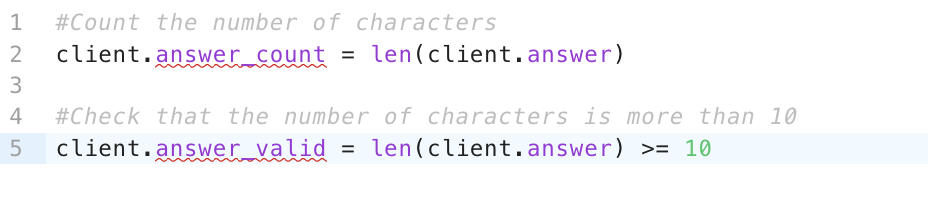
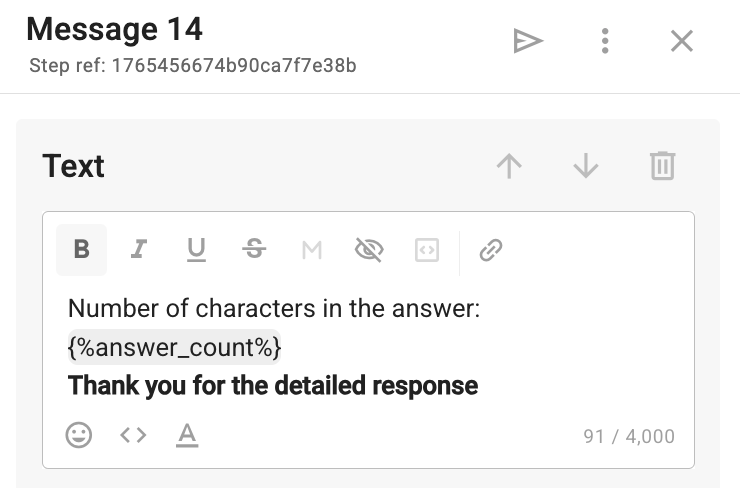
We can count the number of characters in a string using len(x). Variables with the required names must be set in advance.
#Count the number of characters
client.answer_count = len(client.answer)

#Check that the number of characters is more than 10
client.answer_valid = len(client.answer) >= 10
In line 2, we count the number of characters using the len function.
In line 5, we perform a logical condition — if it’s more than 10, the value 1 is assigned to the variable answer_valid. If it’s less — 0.
Number of characters in the answer: {%answer_count%}
Thank you for the detailed response
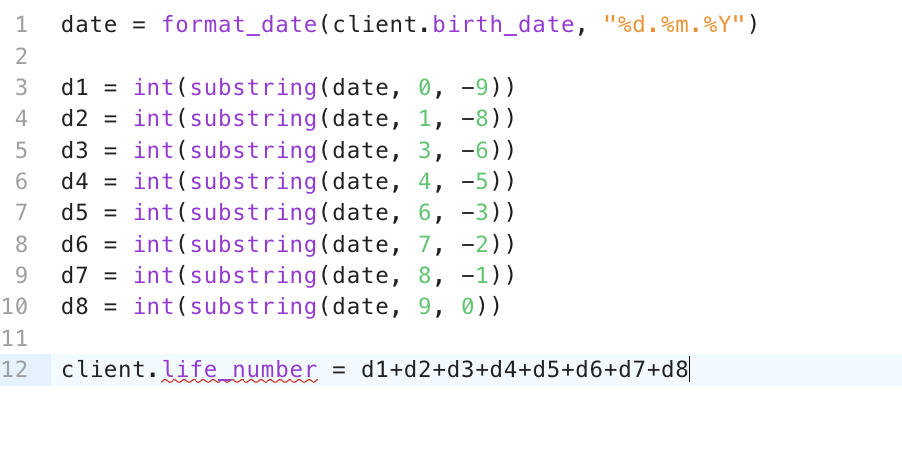
Let’s calculate the destiny number — the sum of all digits in the date of birth.
After receiving the subscriber’s date of birth, we can pass it to the variable birth_date in the “Formula” step.
In line 1, we convert the date format into the required form. Since variables of the “Date” and “Date and time” types are stored in the internal format YYYY-MM-DD, even if the user entered the date as 11.11.2011, it is stored inside BotHelp as “2011-11-11”.
From lines 3 to 10, using the substring function, we extract the necessary digits from the date of birth and save them into a local variable.
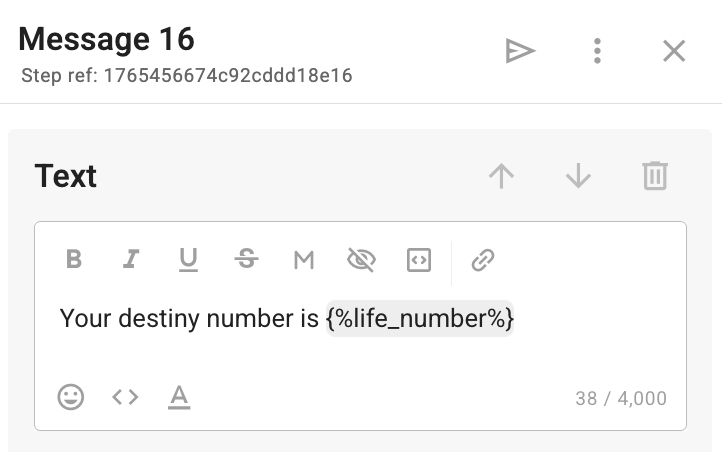
In line 11, we sum the extracted digits from the date of birth into the life_number variable to display the result to the subscriber.
date = format_date(client.birth_date, "%d.%m.%Y")

d1 = int(substring(date, 0, -9))
d2 = int(substring(date, 1, -8))
d3 = int(substring(date, 3, -6))
d4 = int(substring(date, 4, -5))
d5 = int(substring(date, 6, -3))
d6 = int(substring(date, 7, -2))
d7 = int(substring(date, 8, -1))
d8 = int(substring(date, 9, 0))

client.life_number = d1+d2+d3+d4+d5+d6+d7+d8
Your destiny number is {%life_number%}
Working with dates and time
| Function | Description | Example |
|---|---|---|
get_current_time() |
Returns the current date and time in the workspace timezone. Format: %Y-%m-%d %H:%M:%S. |
globals.now = get_current_time() → "2025-11-11 16:30:00" |
addYear(date, years) |
Adds or subtracts years (accounts for leap years). Use negative numbers to subtract. | addYear("2020-01-01", 3) → "2023-01-01" |
addMonth(date, months) |
Adds or subtracts months (accounts for month length and leap years). | addMonth("2025-01-10", 2) → "2025-03-10" |
addDays(date, days) |
Adds or subtracts days. Use negative numbers to subtract. | addDays("20.08.2019", -99) → "13.05.2019" |
addMinutes(date, minutes) |
Adds or subtracts minutes (for DateTime values). | addMinutes(get_current_time(), 20) → "2025-11-11 16:50:00" |
format_date(date, "format") |
Converts a date to the specified format. Supported formats: %Y-%m-%d, %d.%m.%Y, %Y-%m-%d %H:%M:%S, %d.%m.%Y %H:%M:%S. |
format_date("2025-10-10", "%d.%m.%Y") → "10.10.2025" |
date_diff(date1, date2, unit) |
Returns the difference between two dates. unit can be "days" or "minutes". |
date_diff(get_current_time(), client.birth_date, "days") → 9125 |
All operations are performed in the workspace timezone. Multiplying or dividing dates will cause a Type Error.
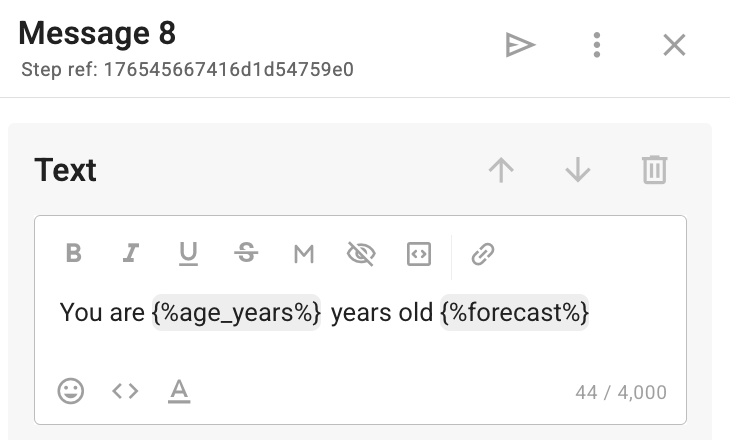
Let’s calculate how old the subscriber is and make a prediction based on that.
First, we request the date of birth and save the response to a variable of the date type called birth_date.
Next, in the “Formula” step:
- Using int, we remove fractional values to get the full number of years.
- Using date_diff, we calculate the difference in days between the previously entered birth_date and the current date value get_current_time.
- Then, using an IF condition, we write the corresponding result into the forecast variable.
client.age_years = int(date_diff(client.birth_date, get_current_time(),
"days") / 365)

client.forecast = if(client.age_years >= 30,"It’s a time of structure and stability 👌",
"A period of experimentation and growth — try something new 💫")
You are {%age_years%} years old {%forecast%}
Functional Notes
-
Code in the “Formula” step executes line by line, top to bottom, in an isolated BotHelp environment.
-
Syntax is similar to Python but not identical.
-
Only simple expressions are supported — no loops (
for,while), functions (def), or external imports. -
Code cannot call APIs or access external systems.
-
Variables are created upon first assignment.
Если вы не нашли ответ на свой вопрос, задайте его нам в чате внутри кабинета либо напишите в Telegram BotHelpSupportBot или на почту hello@bothelp.io
Получите 14 дней полного функционала платформы для создания рассылок, автоворонок и чат-ботов BotHelp.