
Data collection allows you to request any necessary information from a subscriber and save it to their profile card: contact details, interests, answers to questions, test results, and much more.
The function helps automate the process of collecting and structuring data without operator involvement.
How to enable the function
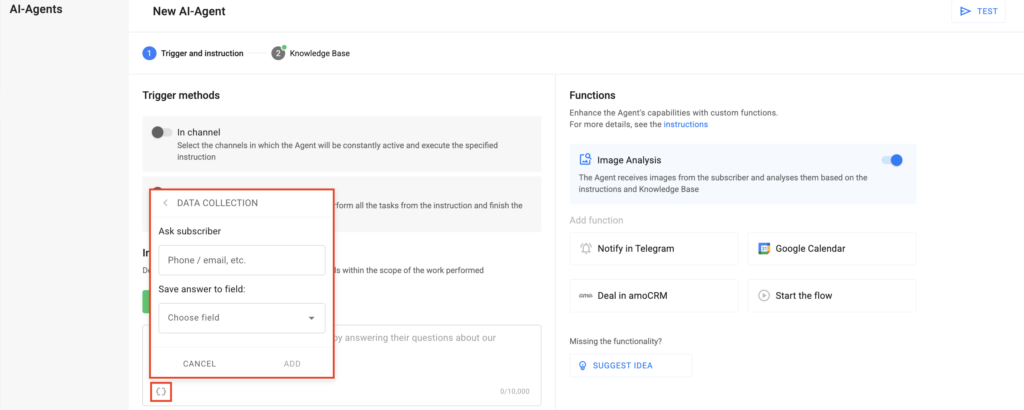
- Click the “Functions” button in the “Instruction” field.
- In the “Ask subscriber” section, specify the data to request (for example: phone number, email, company, etc.).
- In the “Save answer to field” field, select or create a new field in the subscriber’s profile card where the response will be stored.
- Click the “Add” button.
- After adding, the function will automatically generate text in the Instruction — simply move it to the appropriate place.
If you did not find the answer to your question, feel free to contact us in the chat inside your dashboard, message us on Telegram at @BotHelpSupportBot, or email us at hello@bothelp.io.
Get 14 Days of Full Access to the Platform
Enjoy the full functionality of the BotHelp platform for creating broadcasts, automated funnels, and chatbots — free for 14 days.
Была ли статья полезна?
Спасибо за обратную связь!