
Text formatting is available in VKontakte in BotHelp. You can highlight important points or key ideas in the text to draw subscribers’ attention to them.
Available options:
- bold,
- italic,
- underline,
- link.
When editing a message, select the text and click the corresponding icon in the menu displayed at the top. Save the changes you made. The formatting menu is available in the “Text” and “User Input” blocks.
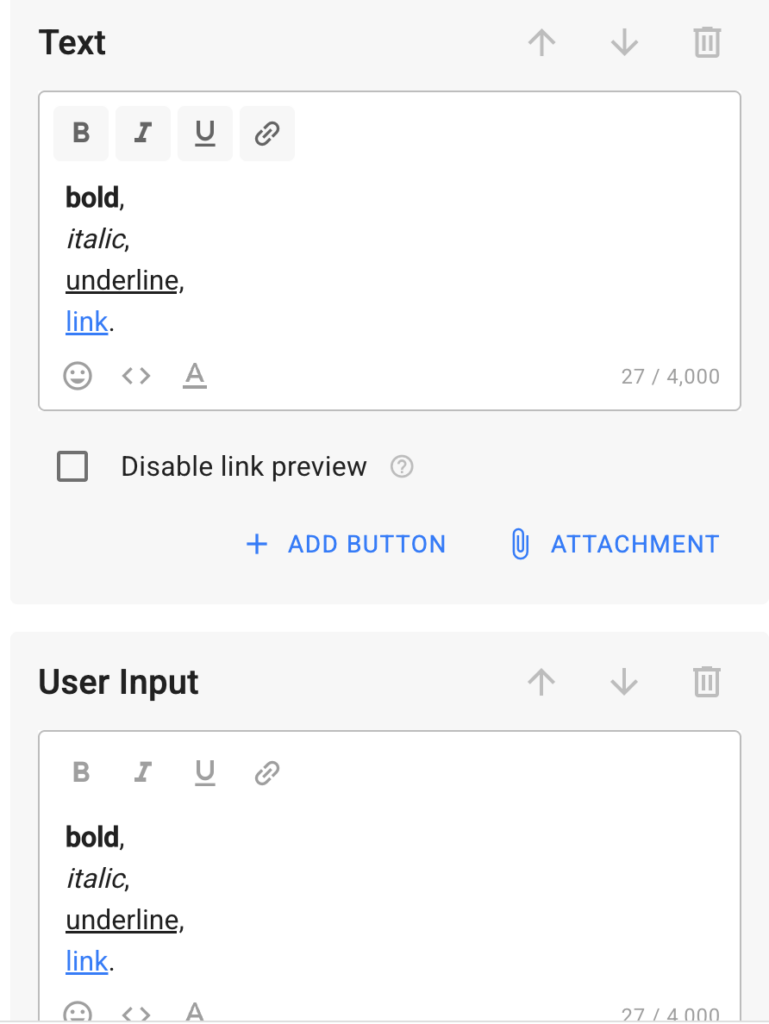
Text formatting in VKontakte is implemented in flows, broadcasts, auto-broadcasts, accompanying messages in automations (Greeting, Keywords, Payments), and in growth tools.
Limitation: when converting flows and broadcasts from VKontakte to other messengers or vice versa, the formatting is not preserved.
Attention: text formatting in VKontakte may work unstably and in some cases may not be displayed for message recipients. This is due to the specifics of how the platform works. To avoid a situation where a link becomes unavailable to a subscriber, we recommend not using hyperlinks. Instead, place links in buttons or specify them as plain text directly in the message.
If you haven’t found the answer to your question, contact us in the chat in your profile or email hello@bothelp.io
Get 14 days of full functionality of BotHelp, a platform for creating broadcasting, autofunnels, and chatbots.