
This article will help you quickly set up a growth tool — an automatic reaction to comments on VKontakte. You will learn how a bot can respond for you, launch the necessary scenarios, and collect leads without manual moderation. This will save you time and increase audience engagement.
Important
The tool will work only if the subscriber has allowed the community to send messages (a VKontakte limitation). Permission can be obtained in three ways:
- The subscriber followed a VK landing page and granted permission. (More about VK landing pages)
- The subscriber wrote to the community first
- On the main page of the community, the subscriber clicked “More” → “Allow messages”
Where to find the tool
- Go to the Growth Tools section
- In the list, select the Comment on VKontakte
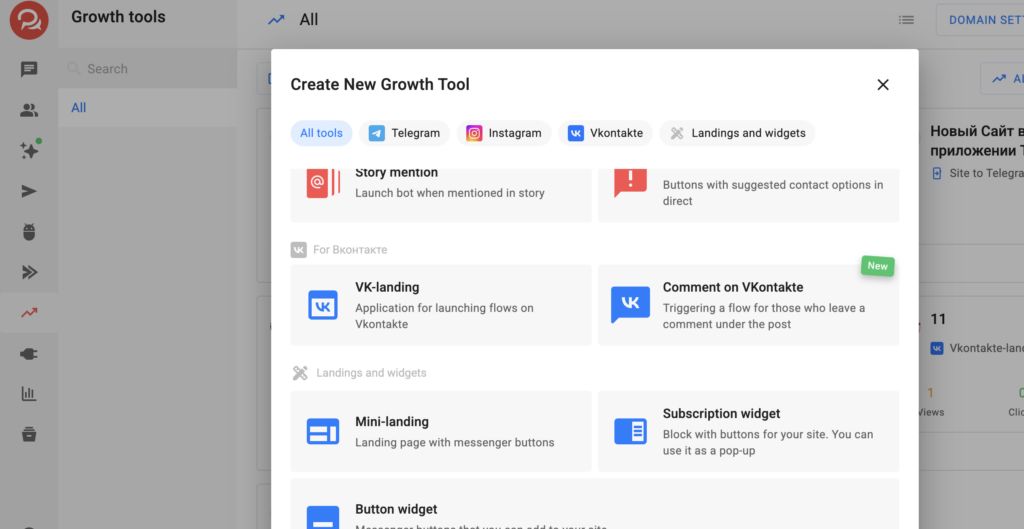
Setting up the growth tool
Step 1: Trigger settings
- Select the VKontakte channel
- A list of all connected channels will appear
- If the page is not connected — connect the VKontakte channel
• When connecting a channel, the full set of required permissions is now requested automatically
• All BotHelp functionality for VKontakte works immediately after connection, without additional actions in the community settings
• For communities connected earlier, the permissions list has been updated — additional configuration is no longer required
- Specify under which posts to track comments
- Under all posts
- Under a certain post — insert the link to the post
If the post is deleted, the automation will continue to exist but will not work.
- Configure trigger conditions
- Only trigger:
- “Contain” — the comment includes the required word/phrase
- “Matches” — an exact match
- For comments with these keywords (up to 120 characters each)
- Exclude comments with these keywords — if a word is found, the automation will not trigger
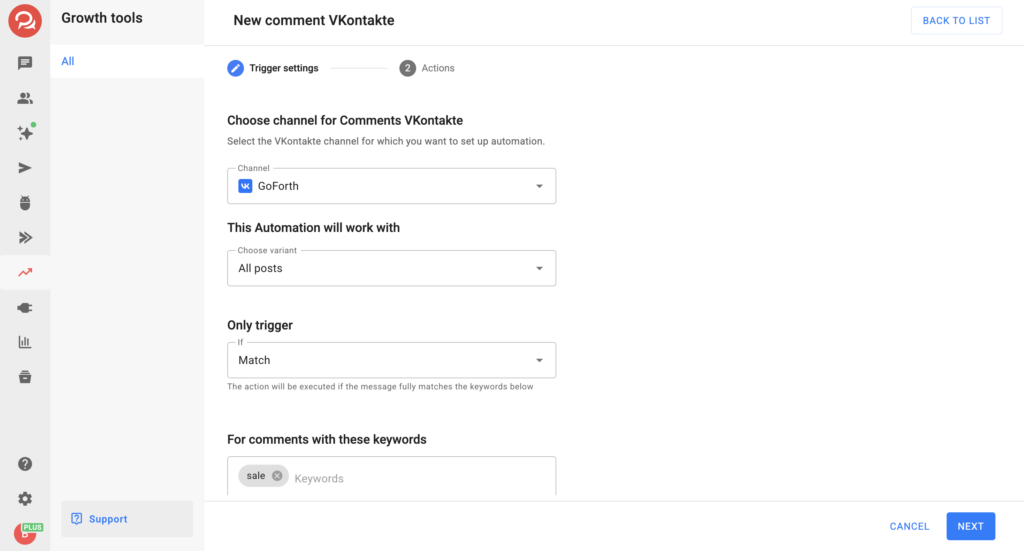
Step 2: Actions
For subscribers who meet the trigger conditions, you can perform one or several actions:
- send a text message (you can add a button) and an image
- launch a bot and other available actions
This way, you start communication automatically right after the comment.
After saving the growth tool, the automation becomes active — subscribers will enter your funnel when the conditions are met.
If you haven’t found the answer to your question, contact us in the chat in your profile or email hello@bothelp.io
Get 14 days of full functionality of BotHelp, a platform for creating broadcasting, autofunnels, and chatbots.