
Import when adding a channel
Go to Settings in the left menu and select the Channels section. Click Add new channel and choose the channel type — VKontakte. After selecting the community, add the channel.
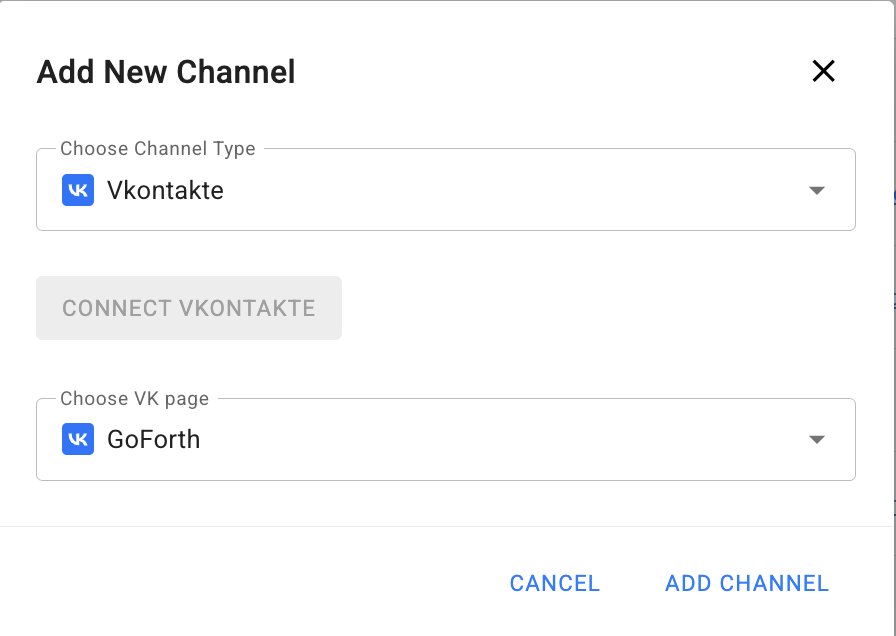
The platform will automatically prompt you to import subscribers. Click “Yes, import”.
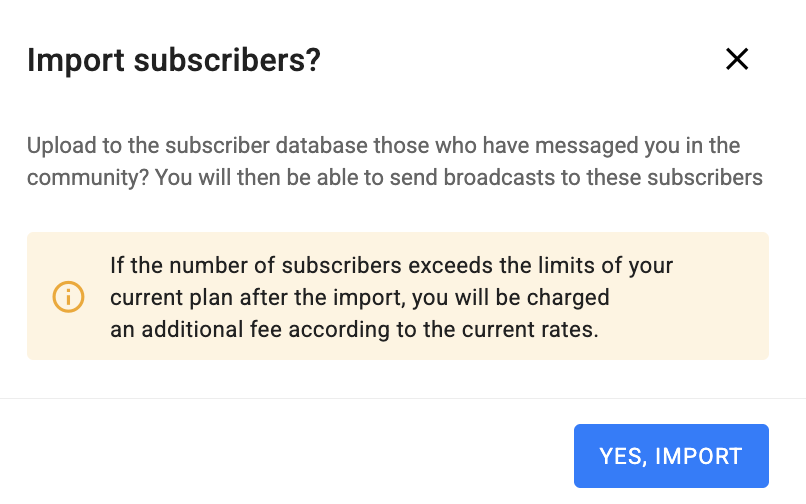
You can assign a tag to all imported subscribers. Information about the import can be found in the People → Import section.

Import in the “People” section
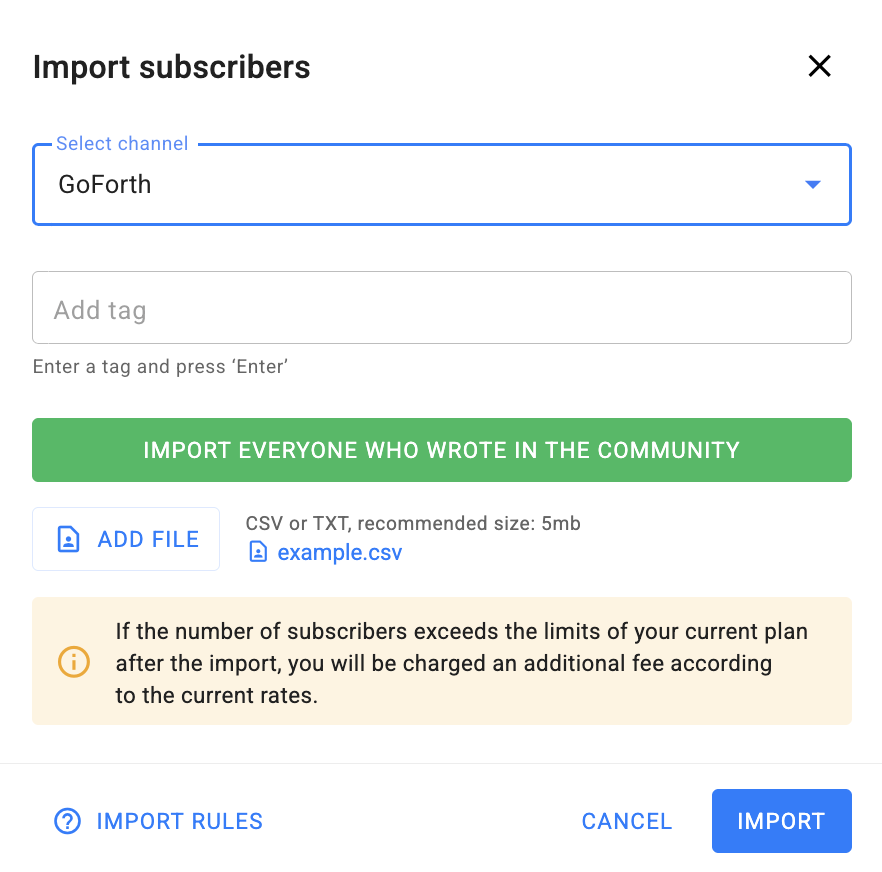
Go to the People section in the left menu, select Import, and click Import subscribers.
- Select a channel;
- Add a tag if needed;
- Click Import everyone who wrote in the community.
The option to upload a file with VKontakte subscriber IDs is still available.
Recommended format: CSV or TXT, up to 5 MB.
If you haven’t found the answer to your question, contact us in the chat in your profile or email hello@bothelp.io
Get 14 days of full functionality of BotHelp, a platform for creating broadcasting, autofunnels, and chatbots.