
An AI-agent is an intelligent assistant that operates in Telegram, Instagram*, VKontakte, MAX and Facebook* bots.
It automatically interacts with clients by responding to messages, providing consultations, collecting data, and creating personalized content based on the given instructions, enabled functions, and Knowledge Base.
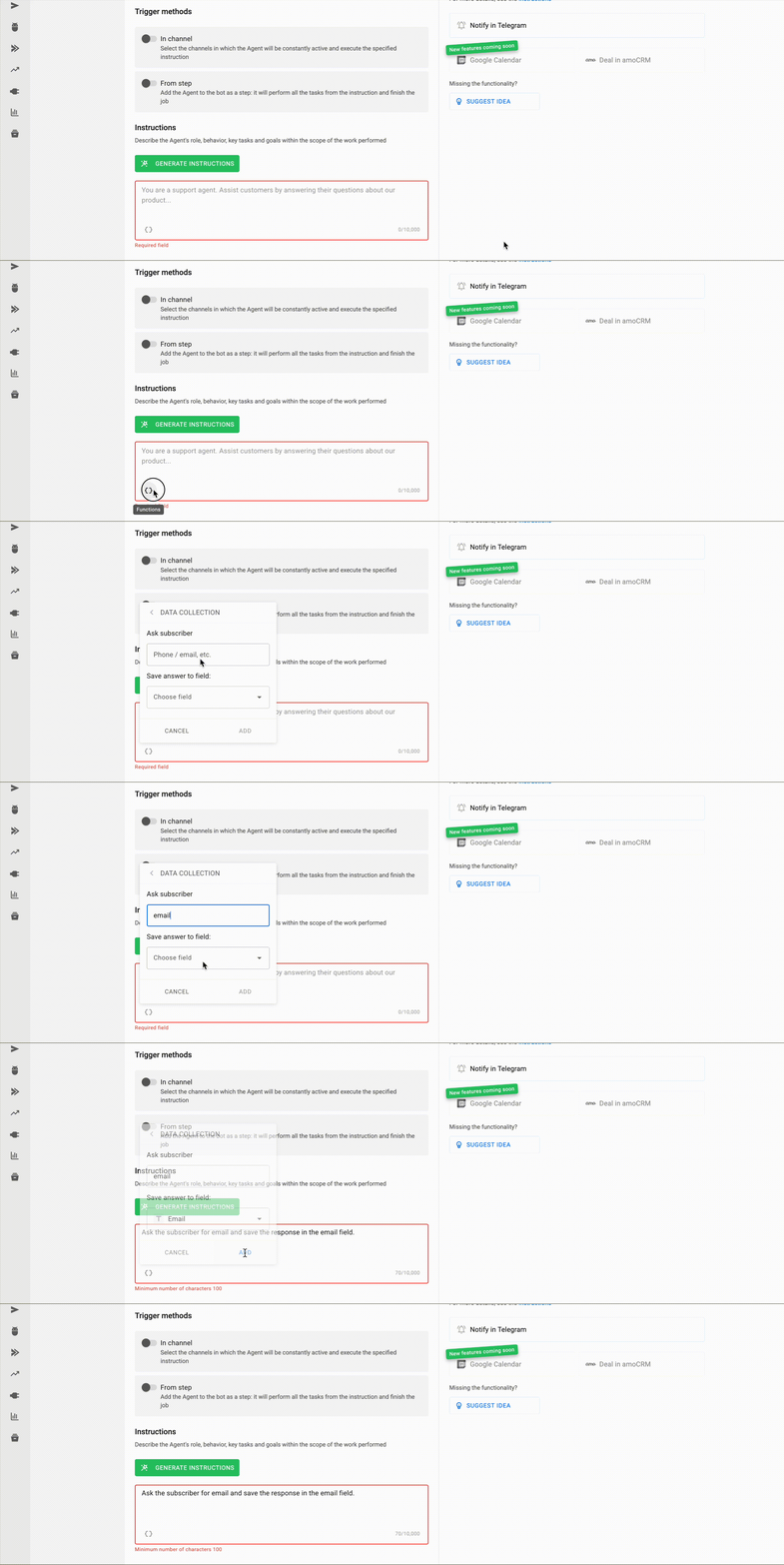
Capabilities of the AI-agent
-
Responds 24/7 to client questions based on your Knowledge Base.
-
Instantly reacts to text and voice messages in any language.
-
Initiates the first interaction with a new subscriber and guides them through the scenario.
-
Collects and stores the gathered information in the subscriber’s profile.
-
Generates unique content tailored to a specific request or communication scenario.
Didn’t find the feature you need? Let us know — just fill out a short form, and we’ll help expand the AI-Agent’s functionality for your project.
How to Create an AI-Agent: Step-by-Step Guide
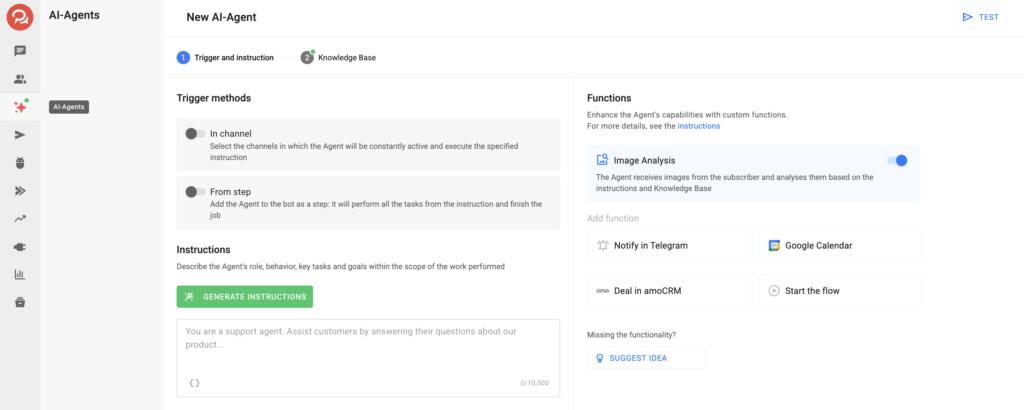
- Go to the AI-agent section.
- Click New AI-agent or choose a template and click Create from Template.
- The settings window will open — configure the agent’s parameters.
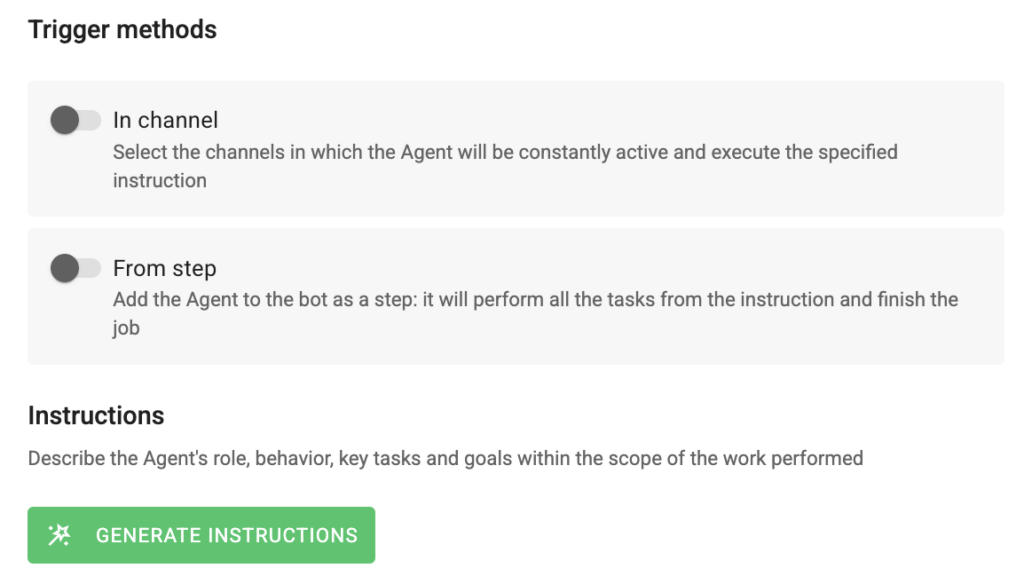
Choose the launch method
- In channel: the agent is continuously active in the selected channel, answers subscribers’ questions based on the Knowledge Base, and follows the instructions.
Suitable for the role of a support AI-Agent.
Important: only one agent with the In channel launch method can be added to a single channel. - From a bot step: The Agent must be configured in the AI-Agent section and added in the bot builder as a step.
When a subscriber reaches the AI-Agent step, it will complete all tasks from the instructions (for example, data collection, content generation, cost calculation, etc.), after which it will pass control to the next step.
Suitable for targeted interactions and collecting user responses.
Important: the AI-Agent step cannot be launched from the Telegram menu.
Important! Automations take priority in either method: if an automation is running, the AI-Agent does not intervene.
- Fill in the Instructions field
Describe the AI-agent’s role, tasks, and communication style.
You can specify:
- Specific phrasing of responses;
- Rules of behavior in dialogue;
- Tasks and functions the agent should perform;
- Goals the agent should achieve.
If you need to record subscriber responses in their profile, use the Data Collection function.
- Add a Knowledge Base
In BotHelp, you can set up a Knowledge Base for the AI-agent without limits on size and with support for different formats. The Knowledge Base is divided into 2 blocks:
- Text Input — suitable for frequent questions if the Knowledge Base is small.
- Add File — suitable for a large Knowledge Base. You can upload an unlimited number of documents and spreadsheets, from which the AI-agent will select the most relevant answer.
The AI-agent analyzes all uploaded information and uses it as the sole source of knowledge when interacting with users.
For different tasks, either the first or second method of storing the Knowledge Base—or both—can be used simultaneously. When searching for an answer in the Knowledge Base, the AI-agent first analyzes data entered as text, then data from uploaded files.
Learn more about the AI-agent Knowledge Base.
- Test the AI-agent
Check how the agent responds to subscribers on any connected channel.
Instruction Generation for AI-agent
This feature simplifies the process of creating your own AI-agent. You just need to formulate a request describing the desired goals and behavioral characteristics of the agent, and the Generator will automatically transform it into a clear, structured, and precise instruction, minimizing the risk of hallucinations and incorrect behavior.
Technical Features:
-
Instruction generation consumes tokens from your account’s limit.
-
The minimum length of a user request for generation is 100 characters.
- When clicking Use for Agent, the generated instruction is automatically inserted into the agent’s corresponding field.
- When clicking Generate Again, the current instruction is reset and a new one is created.
Additional Features
For an AI-agent with the From Bot Step launch method, the following options are available:
-
Adding a deep link: You can create a direct link (deep link) that takes the user straight to the AI-agent step.
- Navigating to the step via buttons: Direct users to the AI-agent step using buttons from other steps
AI-Agent Functions
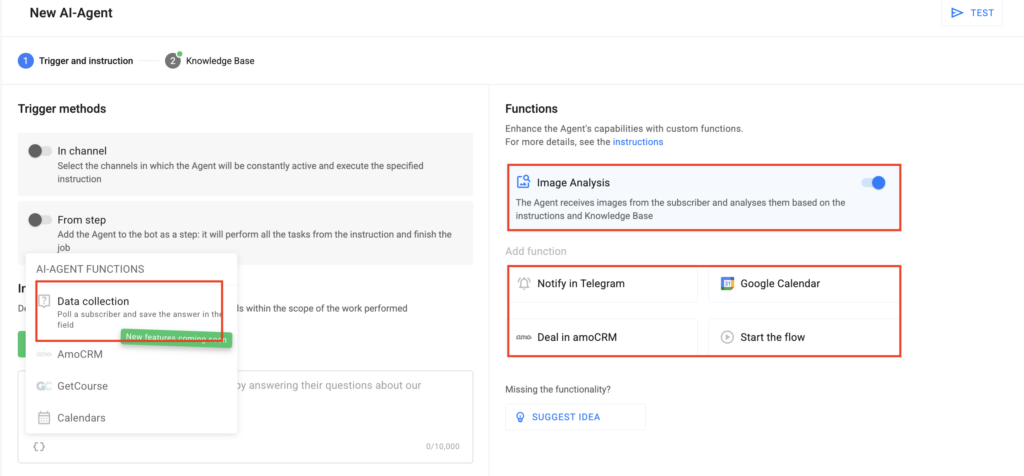
AI-Agent functions are additional capabilities that the Agent uses in accordance with the given instructions and settings. Thanks to these functions, the Agent can not only answer questions but also independently automate consultation stages, qualification, and guiding a potential client through the sales funnel.
The following functions are available for the AI-Agent:
- Data collection;
- Notify in Telegram;
- Google Calendar;
- Deal in amoCRM;
- Start the flow;
- Image analysis.
Frequently Asked Questions
What should I do if the AI-agent runs out of tokens?
- You can increase the token limit in the Billing section. Access to purchase is also available directly from prompts within the AI-agent step.
- The tokens shown in the dashboard are BotHelp tokens. They do not correspond to the tokens used by neural networks.
- Token consumption can be estimated during AI-agent use, depending on specific requests and interaction volume.
How long will a subscriber stay on the AI-agent step?
- A subscriber remains on the step until the AI-agent completes all assigned goals.
- If a subscriber refuses to complete goals (e.g., does not respond or ignores requests), the agent will skip those goals and automatically move to the next one or pass control to the next step in the chain.
- The AI-agent remembers the dialogue history only within a single session. A session begins when a subscriber reaches the AI-agent step and ends after the AI-agent completes all tasks in that step, or after 15 minutes if the subscriber does not respond.
- The AI-Agent is available only for accounts on a trial period and paid accounts (with a Russian card via CloudPayments).
- Accounts paid through Robokassa or FastSpring currently do not have access to the AI-agent.
*Owned by Meta, recognized as an extremist organization and banned in the Russian Federation.
If you did not find the answer to your question, feel free to contact us in the chat inside your dashboard, message us on Telegram at @BotHelpSupportBot, or email us at hello@bothelp.io.
Enjoy the full functionality of the BotHelp platform for creating broadcasts, automated funnels, and chatbots — free for 14 days.