Facebook* Messenger Message Templates are pre-approved Facebook* utility messages that you create directly in the BotHelp platform and send to subscribers through broadcasts. Templates allow you to deliver messages even to subscribers whose 24-hour messaging window has already closed and who can no longer receive regular broadcasts.
Message Templates are the official replacement for Message Tags, which are being phased out by Facebook*.
24-Hour Messaging Window
Each time a subscriber sends a message, a 24-hour messaging window opens. During this period, you can send any messages using regular broadcasts.
Once the window closes, regular broadcasts can no longer be delivered directly. To reach the subscriber, you must use an approved utility message template.
Previously, Message Tags were used to send messages outside the 24-hour window. Facebook* is discontinuing this mechanism, and Message Templates are replacing it. For more information, see the article “Facebook Messenger Message Tags”
Features
- Create Facebook* Messenger utility templates directly in your BotHelp account.
- Add the
{{name}}variable to the template text. The subscriber’s name will be automatically inserted from their profile when the message is sent. - Add an Open URL button or an Actions button.
- Send broadcasts using approved templates to subscribers whose 24-hour messaging window has expired.
- Every template is automatically reviewed by Facebook* before it can be used.
How to Work with Templates
Creating a Template
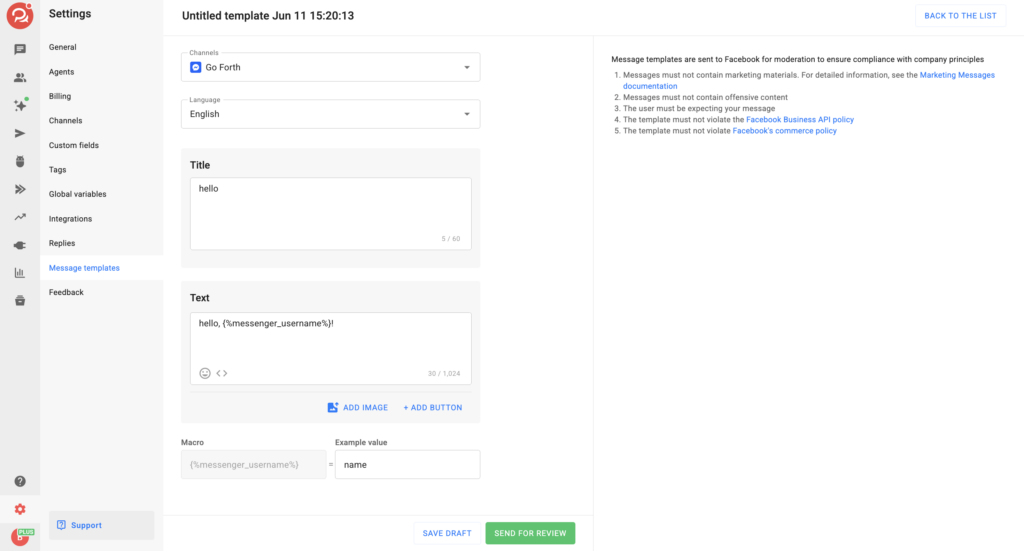
- Open the Message Templates section and click Add Template.
- Select a Facebook* channel and the template language.
- Enter the message text. If needed, add the
{{name}}macro. - Add an Open URL button or an Actions button.
- Click Send for Review. The template is sent to Facebook* for moderation, and editing is no longer available.
- Wait until the template status changes to Approved.
Facebook* moderation is automated, but review times are unpredictable. Approval may take anywhere from a few seconds to significantly longer.
Template Statuses and Moderation
After submission, Facebook* reviews the template and assigns one of the following statuses:
- Draft – the template was saved, but due to an error it was not sent for moderation.
- Submitted – the template has been sent for moderation.
- Approved – The template has been approved. When the status changes, the template automatically becomes available for submission.
- Rejected – The template has not been approved and cannot be submitted.
Only templates with the Approved status can be used in broadcasts.
Templates with the Draft, Submitted or Rejected status cannot be selected.
Sending a Broadcast Using a Template
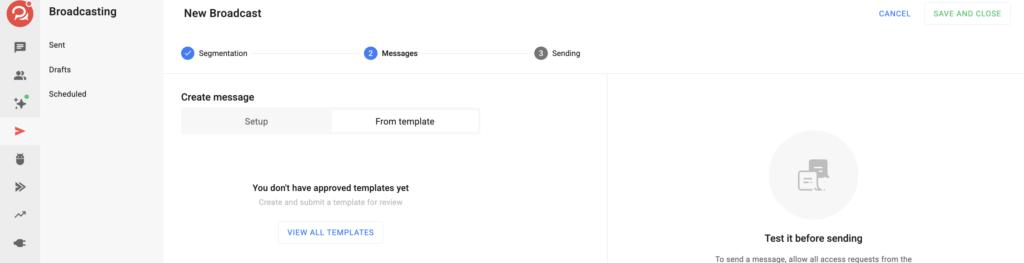
- Go to Broadcasting → New Broadcast and select a Facebook* Messenger flow.
- Choose Messages → From template .
- Select the required template from the list. Only approved templates for the selected flow are available.
- Review the template preview, including the text and buttons. The
{{name}}variable will be populated from each subscriber’s profile when the message is sent. - Launch the broadcast. The message will be delivered to subscribers, including those outside the 24-hour messaging window.
Use Cases
🛒 Order status and delivery notifications for e-commerce customers.
🗓 Appointment and upcoming meeting reminders.
🔔 Service notifications about account or subscription changes.
💳 Payment reminders and transaction confirmations.
Important Notes
Editing Templates
Once a template has been submitted for review, it cannot be edited.
Rejected templates also cannot be edited. Delete the template and create a new one with the necessary changes.
If a Template Is Rejected or Deleted
If a template selected in a broadcast is later rejected or deleted, the broadcast is marked as invalid and cannot be launched until another approved template is selected.
* Facebook and Meta are trademarks of Meta Platforms, Inc.
If you cannot find the answer to your question, contact us via the in-app chat, Telegram (BotHelpSupportBot), or email at hello@bothelp.io.
Get 14 days of full access to the BotHelp platform for creating broadcasts, automated flows, and flows.
Sign up for BotHelp
Get 14 days of full access for free — enough to build your first bot and test it on real subscribers.
Create account
Была ли статья полезна?