The function of sending notifications to agents is available for Telegram, Vkontakte, MAX. You can set it up in the visual constructor of the flow in the “Action” step.
Setting up sending notifications to the agent
1. In the “Flows” section, open the visual designer of the desired messenger flow in editing format.
2. Add the “Action” block.
3. Open the added “Action” block in the editing format.
4. Click the Add Action button and select the “Send notification” action from the drop-down list.
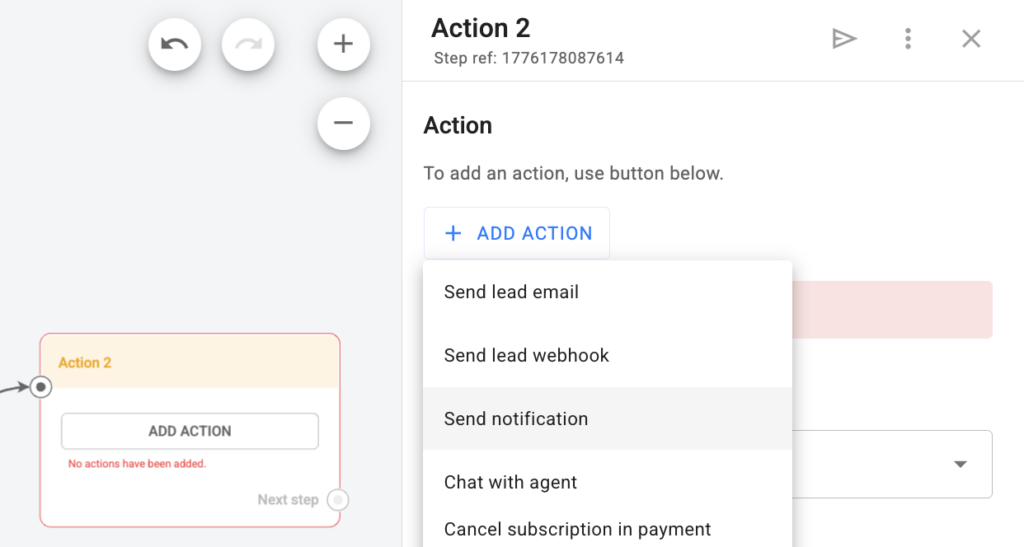
5. Enter the text of the notification that the agent will receive. Macros can be used in the message text.
6. Enter the Telegram usernames in the format @username of all agents you want to send notifications to in the next field for Telegram. For VKontakte, specify the VK user ID, and for MAX, specify the MAX user ID.
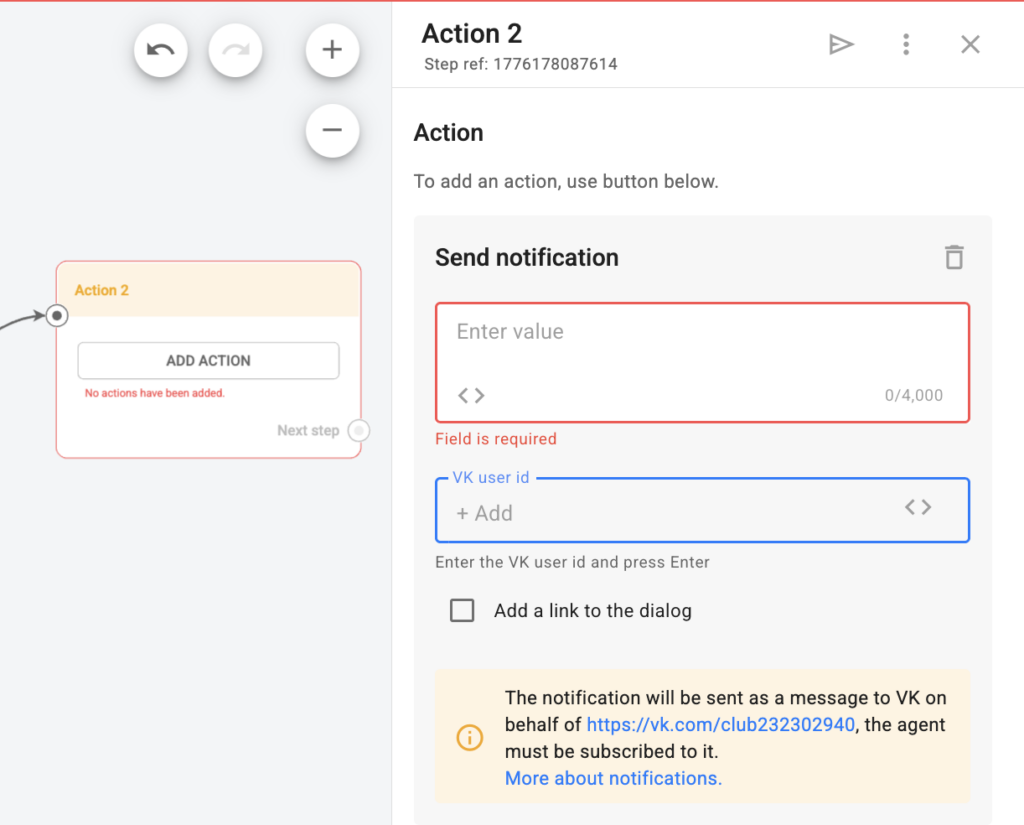
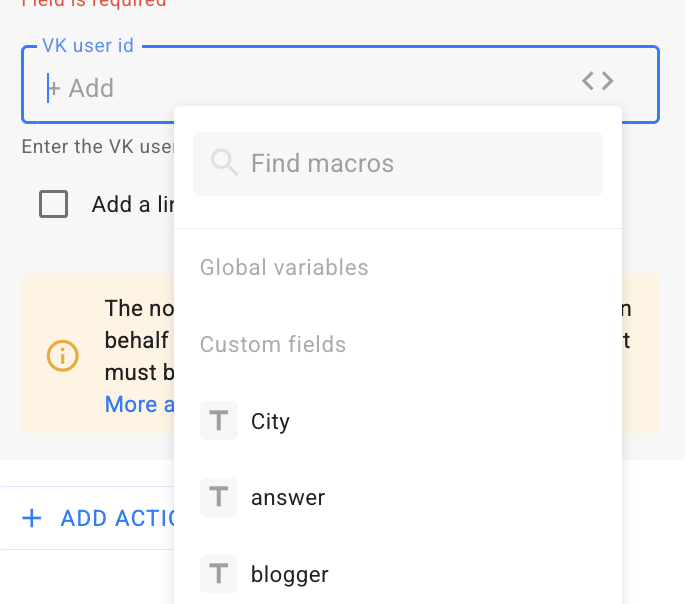
There are two ways to insert a macro into the addressee field:
- insert a global variable or a “text” field;
- insert several macros.
Cases
- Depending on different conditions, you can send notifications to different agents.
- You can specify the destination in a global variable and quickly replace it in several places at once.
- You can use the addressee to communicate between two people, where the addressee is recorded in the “Field”: when marketer Irina brought a lead using a UTM tag and this lead made a purchase, Irina received a notification from the flow with the necessary information.
7. If you want the agent to receive a link to the chat with the person along with the notification text, then activate the “Add a link to the dialog” flag.
8. Click the Save and Close button.
IMPORTANT! the notification will be sent as a message in the messenger on behalf of the corresponding channel, and the agent must be subscribed to it. The notification will be delivered at the moment when the subscriber reaches this step. You can open the conversation from the messenger notification directly in the BotHelp app.
Why is the agent not receiving the notification?
- The user is not subscribed to the bot’s channel. They need to subscribe to the соответствующий канал.
- The user has changed their ID or username. Enter their current username or ID.
- The username or user ID was entered with errors. Enter a correct username.
Important: the link to the chat with the subscriber in the notification will not open in the mobile app; it can only be opened in the web version of the site.
Sending notifications to the agent using the “External request” block
Using the “External request” block, you can make sure that notifications about person actions are automatically sent to the agent in Telegram. For example, if a person got into a flow or went through a certain step.
The scheme will work as follows.
- There is a Telegram channel where notifications will be sent.
- There is a Telegram flow that will send notifications to this channel.
- The flow is the admin of the channel.
- There is the “External request” block set up in BotHelp, where the specific flow, the specific information and the specific channel to which this flow is to send the information are entered.
- The “External request” executes a customized query for each person who gets to this step of the BotHelp chatbot.
Steps to set up the flow and Telegram channel
1. Create a flow through which notifications will be sent.
- You can create a flow using @BotFather.
- Detailed instructions on how to create a flow in Telegram are here.
- IMPORTANT! To further set up the “External request”, you will need the API token of the created flow.
2. Create a channel to receive notifications.
- You have to create a public channel so that you can set its system name in the link to the channel.
- The screenshot below shows the system name of the channel: BotHelpNotification.
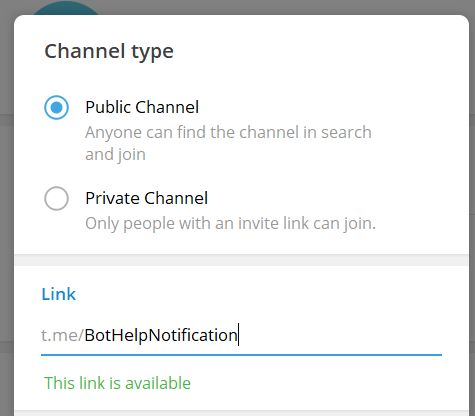
- IMPORTANT! You will need this system channel name to further configure the external query.
3. Add the created flow to the channel and make it the channel administrator.
- Immediately after creating a channel, you can add a previously created flow to the channel.
Setting up “External request”
1. Add an “Action” type step in the BotHelp chatbot constructor and select “External request” in it.
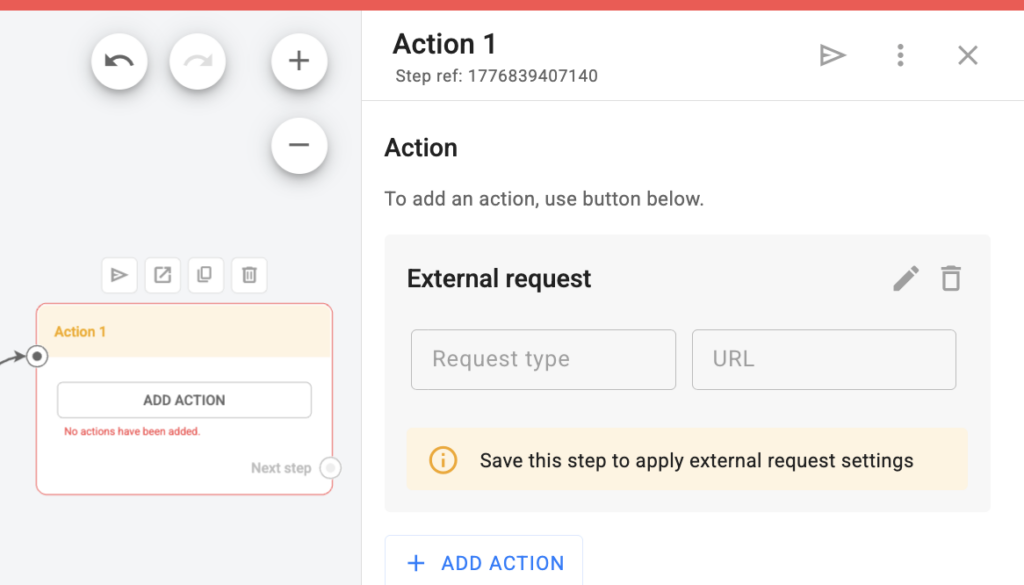
2. In the external query settings:
- Specify the type of GET query
- Insert a link in the URL field:
https://api.telegram.org/bot<MyToken>/sendMessage?chat_id=<tgChatId>&text=<your_message> - In the inserted link:
- Instead of
<MyToken>, insert the API token of your Telegram flow that was created earlier. - Instead of
<tgChatId>, insert the system name of your channel in the@channelnameformat - Instead of
<your_message>, insert the text of the notification that you want to receive in the specified Telegram channel. You can insert macros that will be automatically replaced by the person’s field values.
- Instead of
- Example of the final query:
https://api.telegram.org/bot6195556170:AAF1478IT8L9xVkAtP-__g3HmY1234xl_RM/sendMessage?chat_id=@BotHelpNotification&text=Name:{%first_name%};Identifier:{%cuid%}
With this setup, the Telegram flow will send the person’s name and ID to the channel for each person who gets to the “External request” step.
If you haven’t found the answer to your question, contact us in the chat in your profile or email hello@bothelp.io
Get 14 days of full functionality of BotHelp, a platform for creating broadcasting, autofunnels, and chatbots.
Sign up for BotHelp
Get 14 days of full access for free — enough to build your first bot and test it on real subscribers.
Create account
Была ли статья полезна?