
Accept payments
Accept payments is an AI agent function that sends the subscriber a payment link for your product when they’re ready to buy. The agent recognizes this moment in the dialog on its own and sends a link to the right payment page.
What the function can do
- The agent sends a link to a payment page you’ve already created in Automation → Accept payments.
- You describe the event when the agent should send the link in plain text.
- You can add the function to an agent several times, for example for different products, each with its own trigger and payment page. You can select the same page in several functions.
Before you connect
The function doesn’t create payment pages. It works with pages you’ve already made. So first connect a payment system and create a page in Automation → Accept payments. Learn more in the articles “Creating a payment page in BotHelp”, “Prodamus”, “YooKassa”, “Robokassa” and “YooMoney”.
How to connect the function
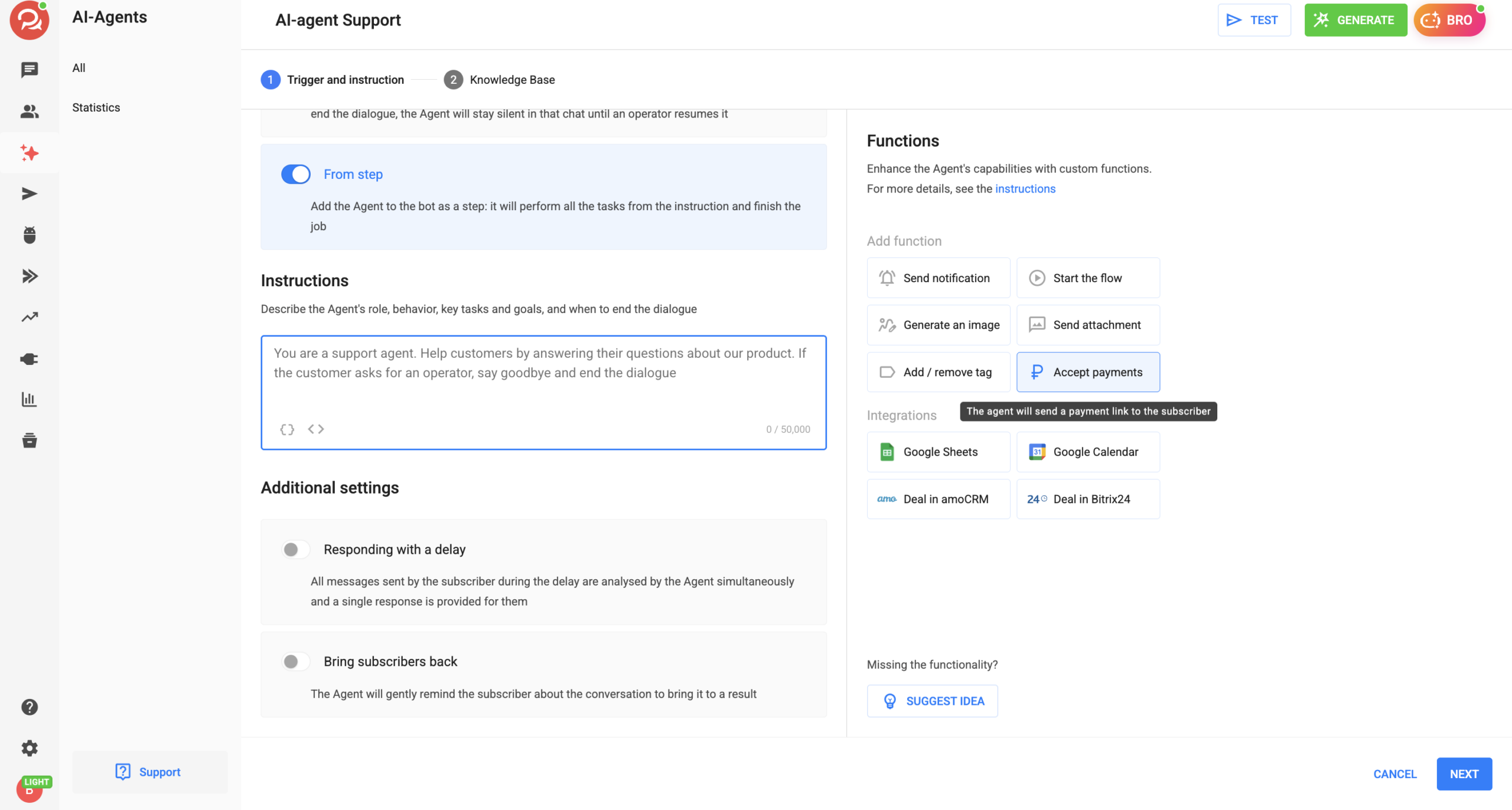
- In the AI agent settings, go to the Launch and instructions step and select the Accept payments card in the Functions block.
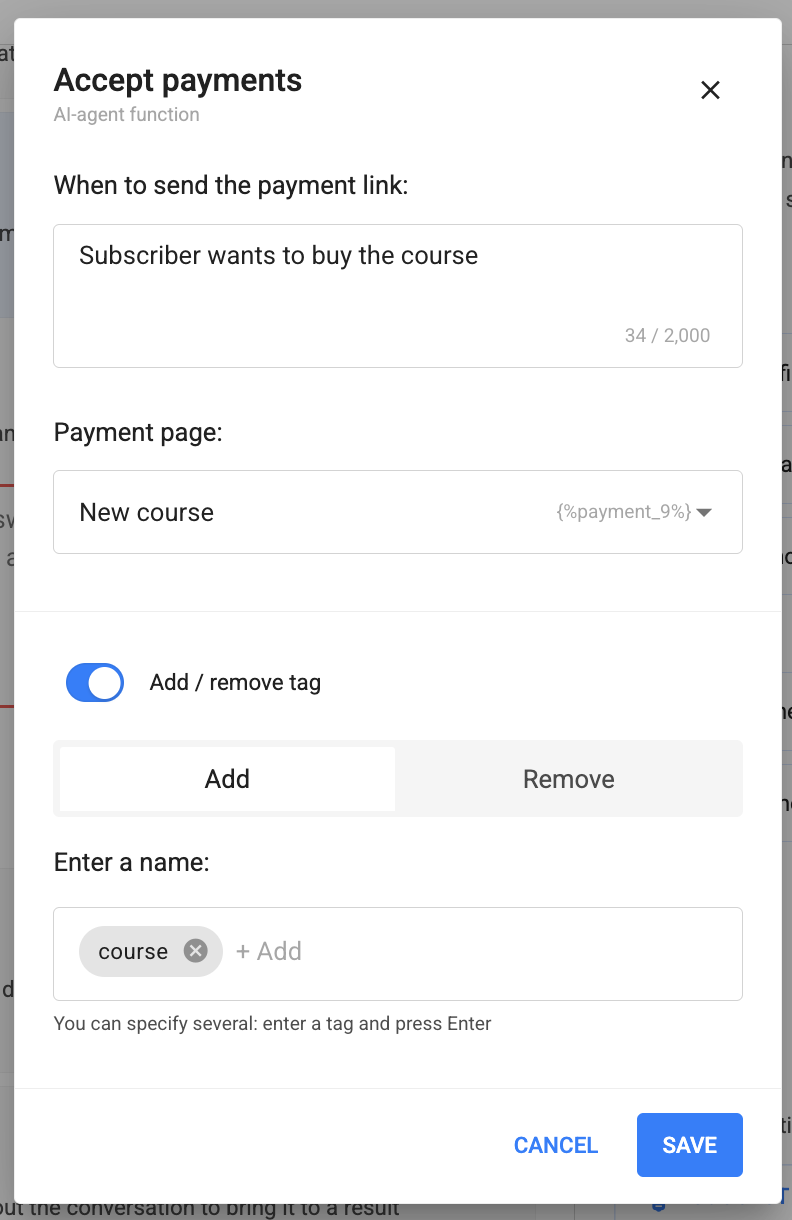
- In the When to send the payment link field, describe the moment when the agent should send the link. For example: “The subscriber agreed to pay for the course.”
- In the Payment page field, select a page from the list. To find the right one quickly, start typing its name.
- Click Save. All fields are required: you can’t save the function without an event or a payment page.
- Test the agent: ask it for a payment link and check that you get a link to the right page.
Use cases
🎓 Online school. The agent answers questions about courses and, once the subscriber has chosen a course, sends a link to pay for it. Each course has its own function with a separate payment page.
🔁 Subscription. The subscriber wants to sign up for a subscription, so the agent sends a page with recurring payments.
🏷 Reminder for those who haven’t paid. The tag toggle is on in the function: the subscriber gets the “payment_link” tag when the agent sends them the link. If your payment automation adds the “paid” tag after payment, these two tags make it easy to find subscribers who got the link but didn’t pay, and send them a reminder.
You can find the agent’s other functions in the article “What is an AI-agent”. To learn about tags, see the article “Add / remove tag”.
If you haven’t found the answer to your question, ask us in the chat inside your account, or message us on Telegram at BotHelpSupportBot or by email at hello@bothelp.io
Get 14 days of full access to the BotHelp platform for creating broadcasts, automated funnels and chatbots.
Sign up for BotHelp
Get 14 days of full access for free — enough to build your first bot and test it on real subscribers.
Create account
Была ли статья полезна?

