
Let’s look at a Telegram flow template for a quiz that finds the most frequent answer. For example, if you want to know which answer the subscriber chose most often, you can use this template.
Copying the template
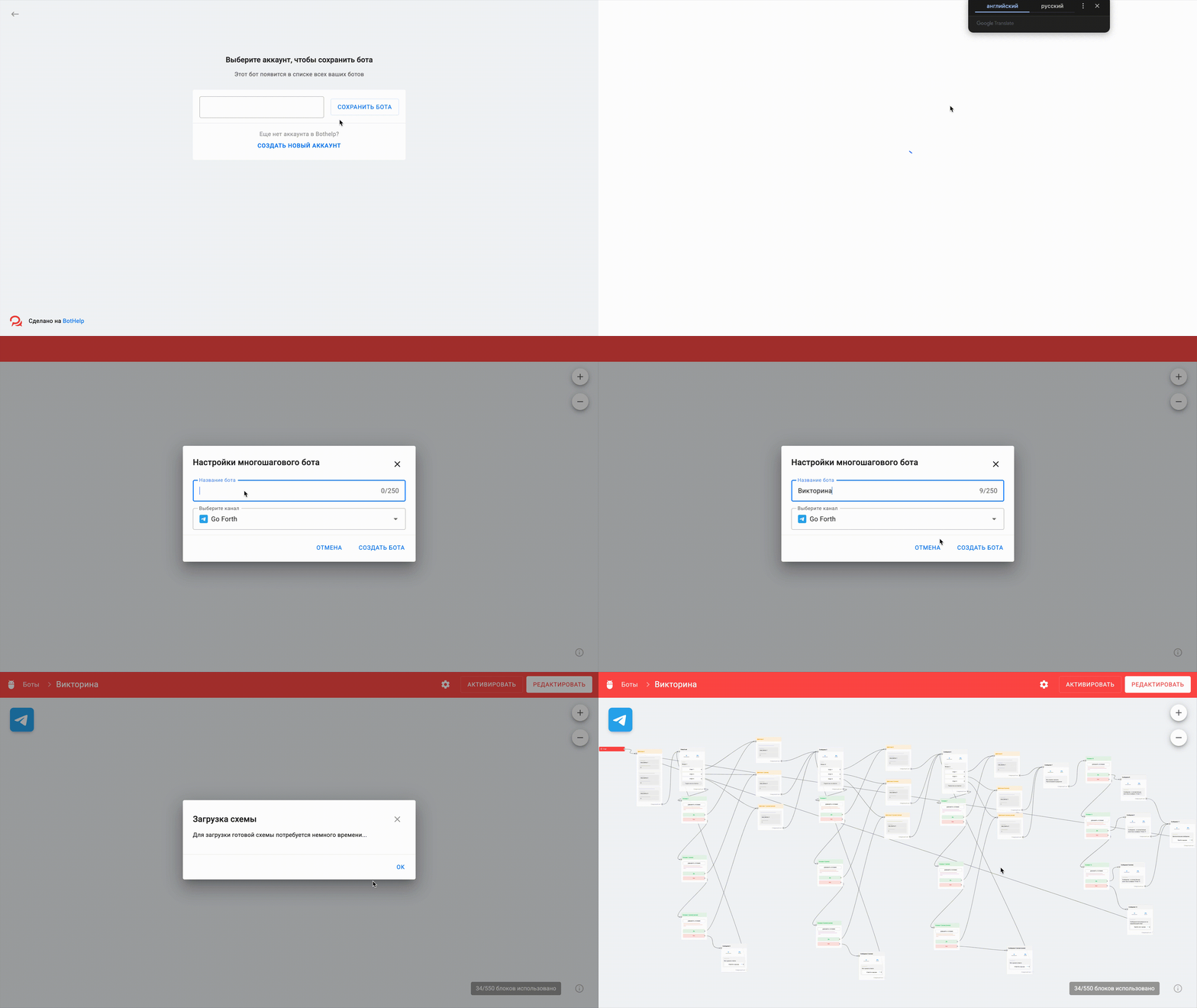
Follow the link and in the lower right corner select Copy in BotHelp , enter your domain name in the window that opens, then click Save flow, enter the flow name and select a channel. In this example, we use a Telegram channel. Click Create flow and wait a few minutes.
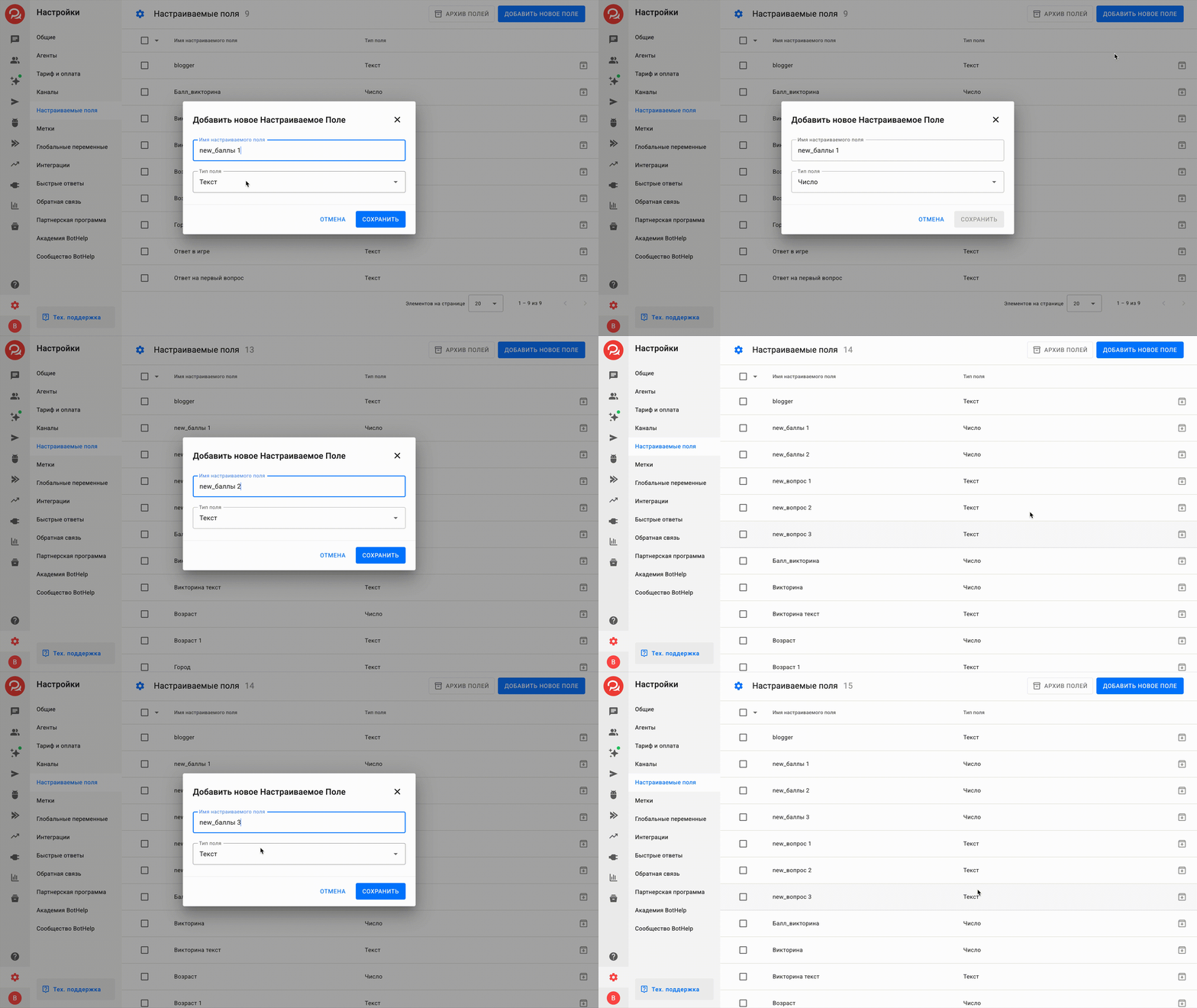
Then go to Settings in the left menu of your BotHelp account and select Custom fields. Add new fields of the Number type and name them, for example, new_points 1, new_points 2, new_points 3. Quiz points will be added to these fields. Also create the fields new_question 1, new_question 2 and new_question 3 of the text type — you’ll need them for the steps with condition checks.
Editing the scenario
In the upper right corner, click Activate and go to the Startstep. For the chain to work, you need to choose a start method. As an example, we’ll start the flow with the Start button (\start)

Then fill in all steps with the Question block: enter your question and answer options.

Next, we need to take into account answers the subscriber may type manually. For example, in Question 1, instead of clicking the buttons, the subscriber may type the message Answer 1 or 1 or one. We must specify all these options in the Condition for question 1 and answer 1. You can add more options, for example, answer 1 in lowercase or an English option one.
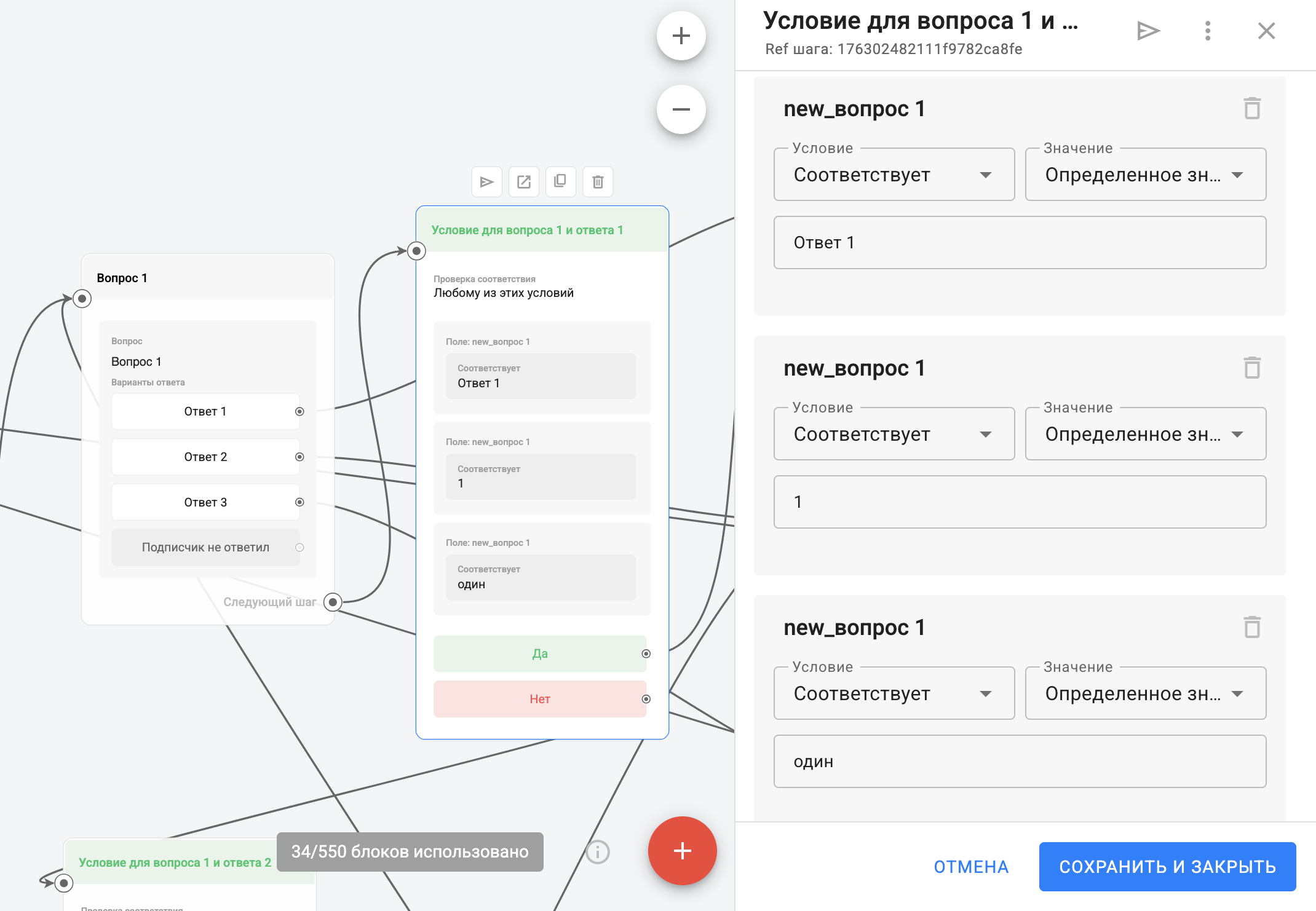
Do the same with the Condition steps for question 1 and answer 2 and for question 1 and answer 3.
Set up all condition blocks the same way. Be sure to test the chain.

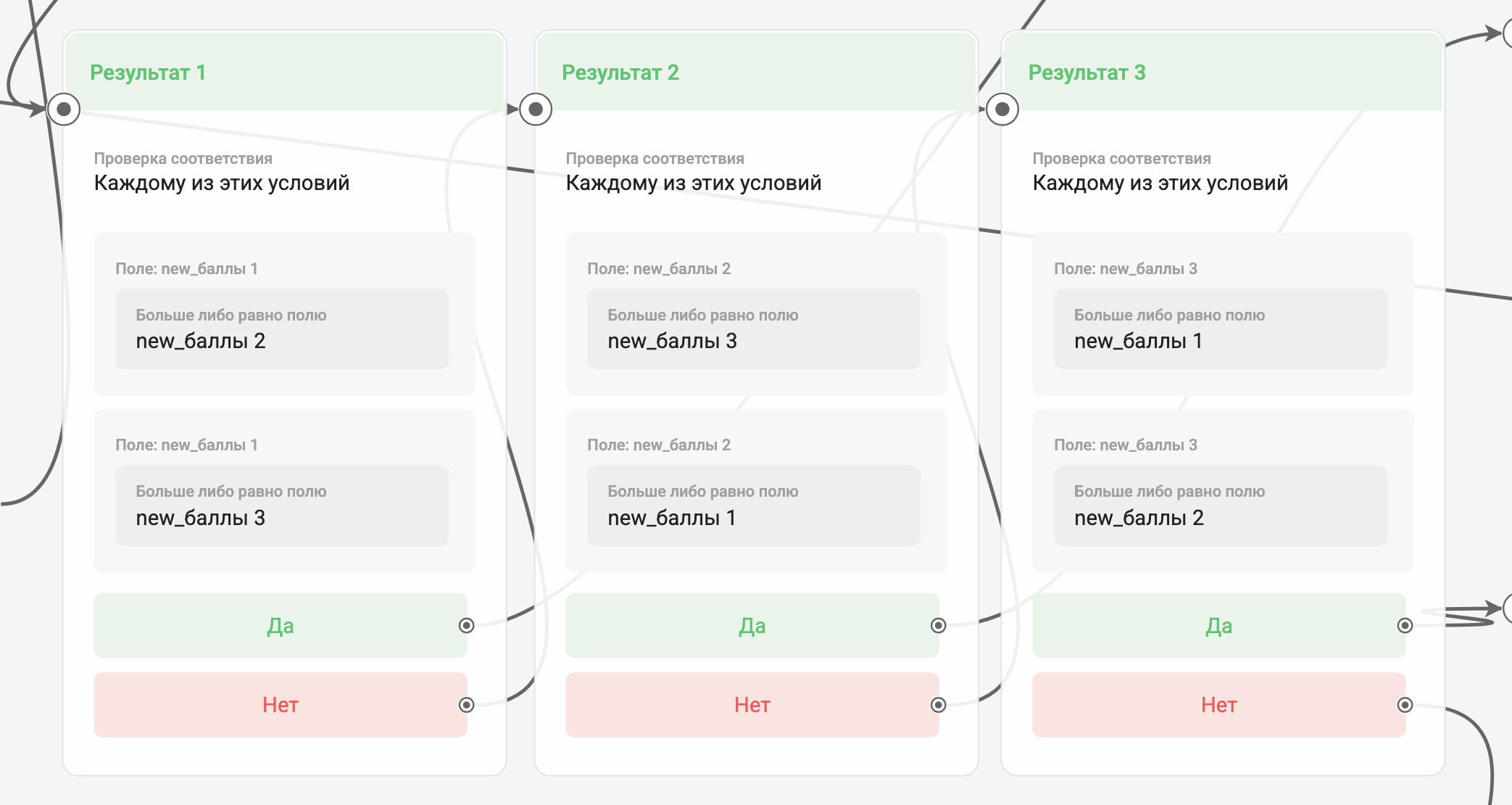
Go to the steps Result 1, Result 2, Result 3. Here you need to set up a condition that determines which answer the subscriber chose most often, and depending on the result the subscriber gets the right message.
In this condition, we compare the fields new_points 1, new_points 2, new_points 3. In the step Result 1 the field new_points 1 must be greater than or equal to new_points 2 and also greater than or equal to new_points 3. If yes, the answer More answers 1is shown. If not, we check the next field new_points 2 in the step Result 2, and this field must be greater than or equal to new_points 1 and greater than or equal to new_points 3. And so on — we compare all three fields one by one.
Note that in the Result conditions, you need to set the match check to Each of these conditions.
Before launching the chain for real subscribers, be sure to test the flow, all blocks and answer options. Adjust the blocks to your project if needed.
If needed, you can add a tag to quiz participants with an Action step — Add tag. This way you’ll know exactly which subscribers took part in the quiz.
If you did not find the answer to your question, feel free to contact us in the chat inside your dashboard, message us on Telegram at BotHelpSupportBot or email us at hello@bothelp.io
Enjoy the full functionality of the BotHelp platform for creating broadcasts, automated funnels, and chatbots — free for 14 days.
Sign up for BotHelp
Get 14 days of full access for free — enough to build your first bot and test it on real subscribers.
Create account
Была ли статья полезна?

