
To work with flows quickly and conveniently, you can use folders and filters in the Flows.
How to create a folder
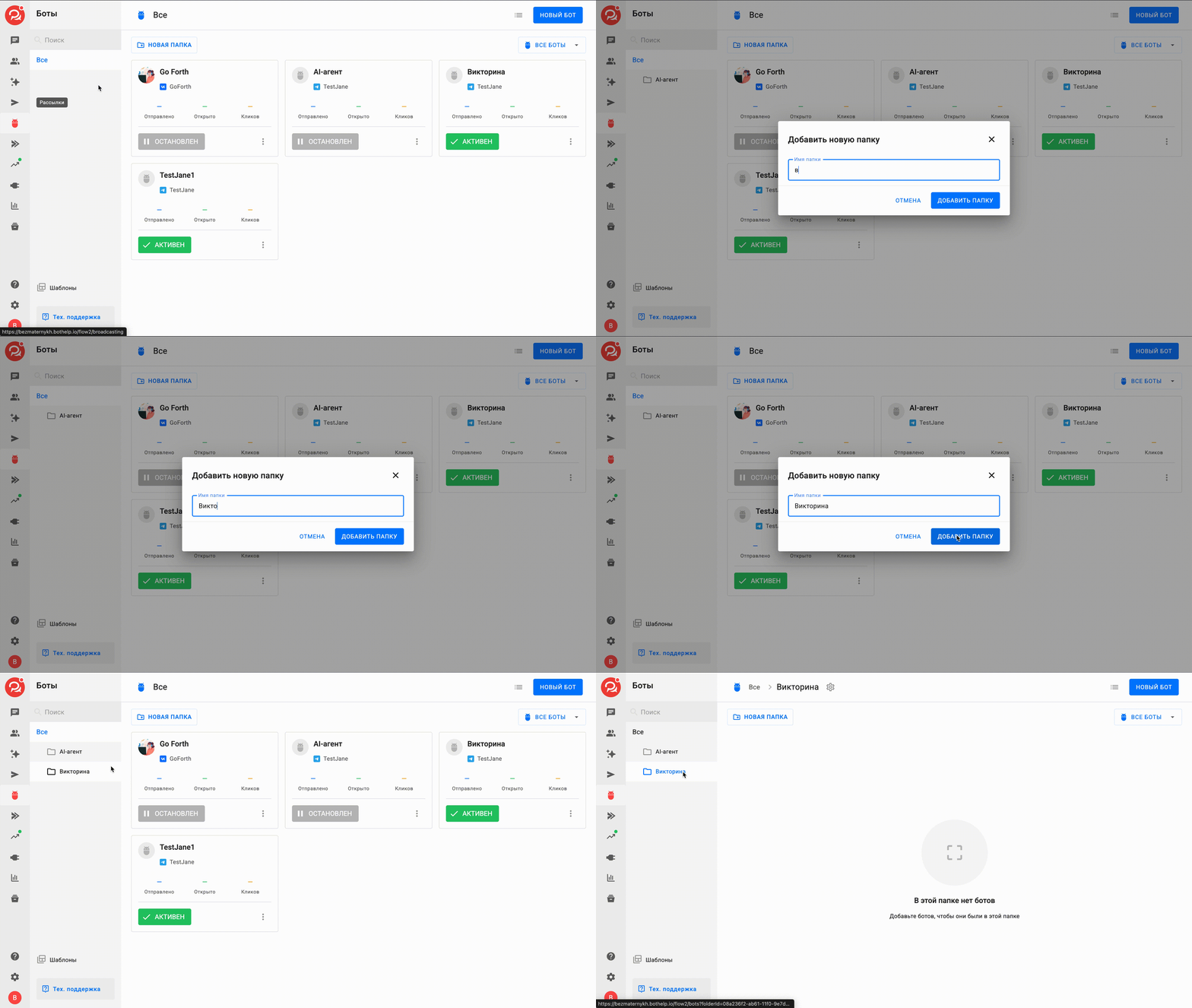
Go to the Flows section and click the New folderbutton. In the Create a new folder window, enter the folder title, click Create folder and the new folder appears on the left.
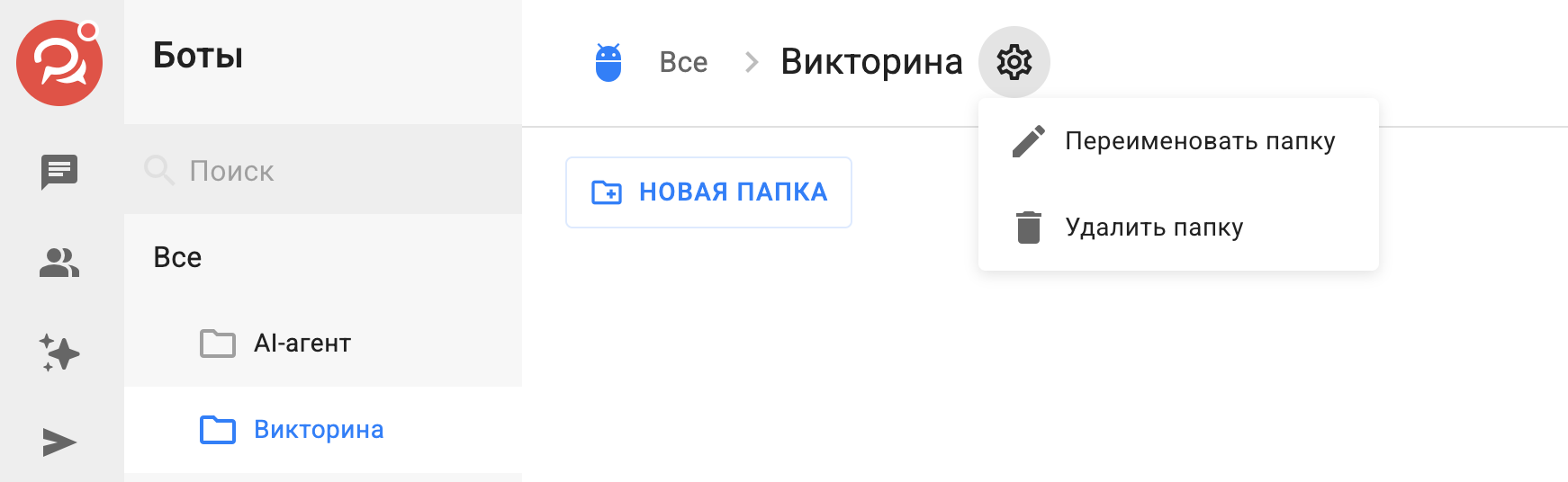
If you want to rename a folder, open it and click the gear icon on the right. Then enter a new name and click the Renamebutton. You can also delete the folder there.
How to move a flow to a folder or out of it
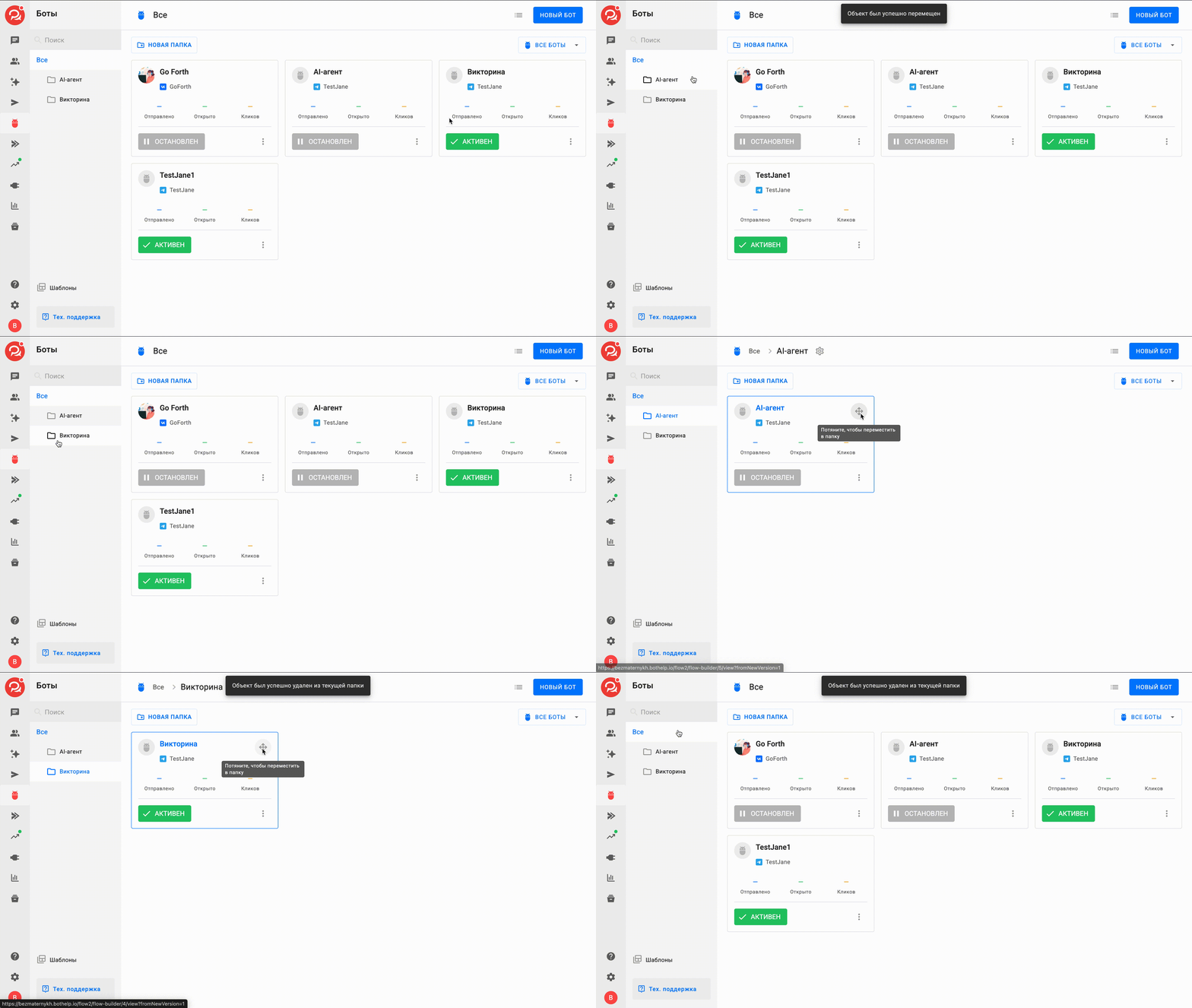
To move a flow to a folder, hover over the flow, hold the arrows in the corner of the card and drag the flow to the folder you need. In the same way, you can move a flow from a specific folder to the shared folder All.
Filtering flows
You can filter flows by channel with the All flows filter or switch the view of all flows between a grid and a list.
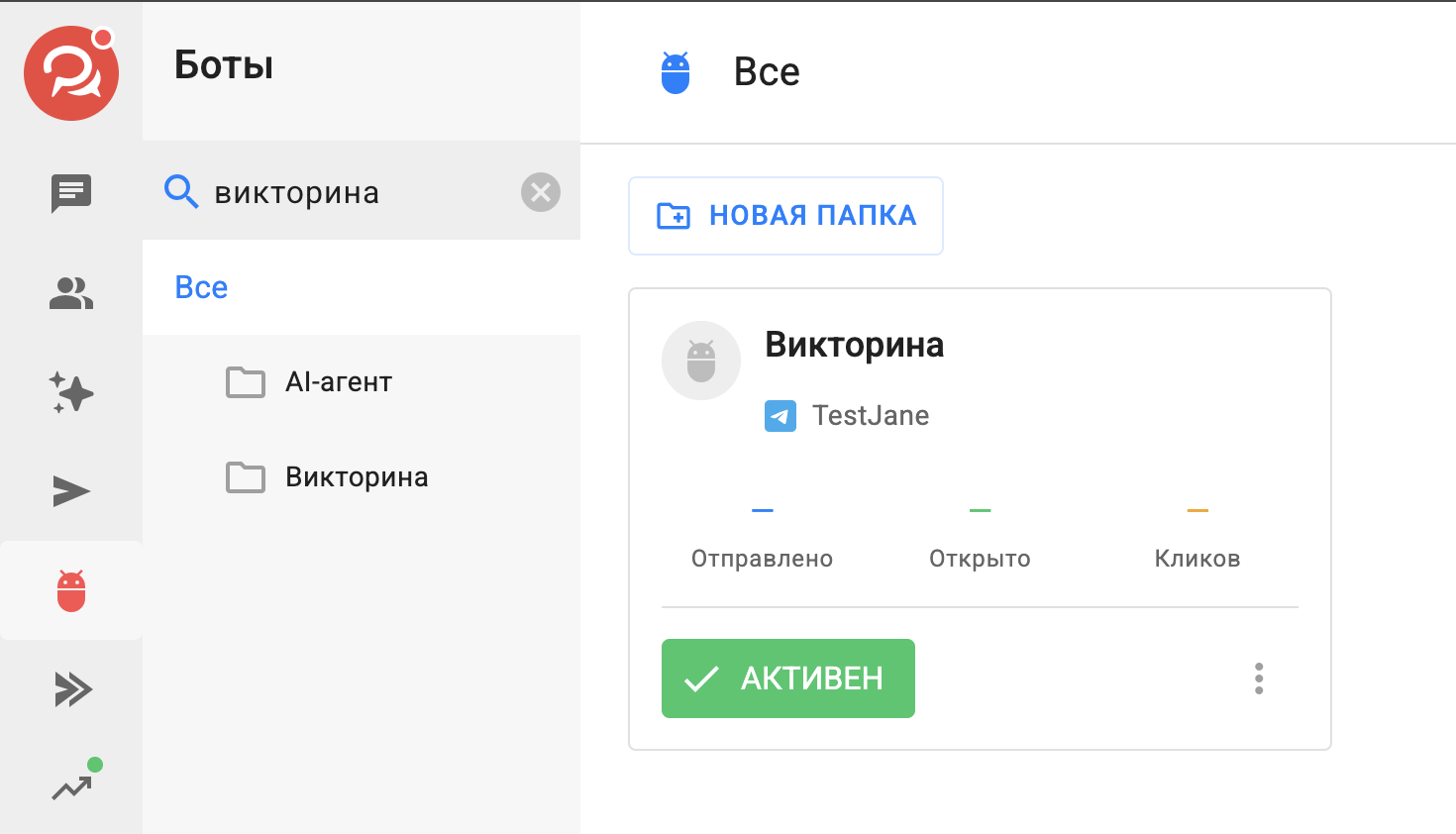
To find a specific flow by name, use the search.
If you did not find the answer to your question, feel free to contact us in the chat inside your dashboard, message us on Telegram at BotHelpSupportBot or email us at hello@bothelp.io
Enjoy the full functionality of the BotHelp platform for creating broadcasts, automated funnels, and chatbots — free for 14 days.
Sign up for BotHelp
Get 14 days of full access for free — enough to build your first bot and test it on real subscribers.
Create account
Была ли статья полезна?

