
You can add buttons for various purposes to messages in flows and Telegram broadcasting.
Menu buttons
Telegram multi-step flows have the ability to create menus with buttons.
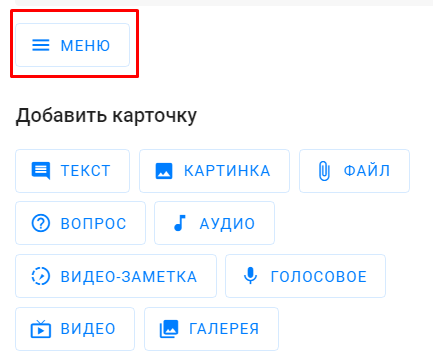
This menu belongs to the flow step and is always located at the bottom under the message entry line.
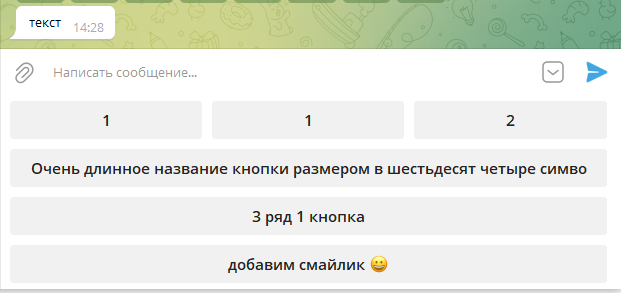
Up to 64 buttons in total: 8 in a column and 8 in a row (8×8). The button name can contain up to 64 characters.
The buttons with the “Follow to step” action are available in the menu.
Features of the menu buttons
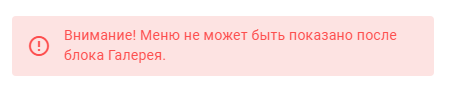
- The menu cannot follow the “Question” block, since the “Question” block uses buttons, the same goes for the text block with buttons and “Gallery”. When editing, a prompt appears about this.
- The menu is added for 1 step. With the next step, the menu keyboard is washed off. To repeat, configure this element in the necessary steps of the flow.
- The menu is active for 7 days since receiving the step.
- You can’t pull the connection from the menu step to the “Delay” step, both from the buttons and from the step itself. In this case, the message after the “Delay” will not arrive immediately due to the delay, the menu will not be hidden, and the chain will not continue.
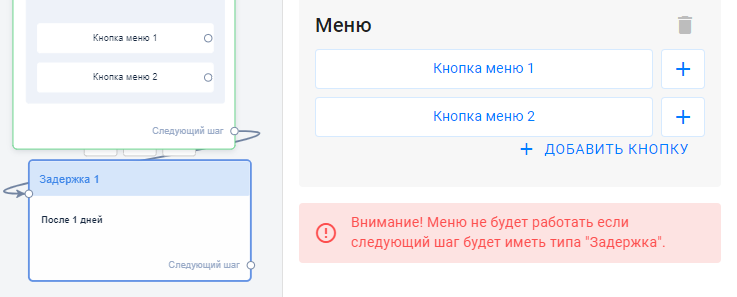
From the Menu button, take the user to a step with the message, and then you can add variation.
Buttons in the “Text” block
There are 3 button types:
1. URL — a button with a link like https://namesite.com/. When clicked, the link opens through the BotHelp link shortener, so click statistics are collected.
- You can use macros in the button URL:
- a macro inside a regular address is inserted as a link parameter, for example
https://site.com?id={%field%}; - a single custom field macro can be used as the whole URL if the field contains a full link, for example
{%link%}. When the message is sent, the button gets the value of that field for each subscriber. This works in flow and broadcasting buttons. More about macros.
- a macro inside a regular address is inserted as a link parameter, for example
- Turn off “Link tracking” to open the link directly in Telegram, without a browser. Clicks on such links are not tracked, and the “Link click in step” condition will follow the “No” path. Macros don’t work with this option.
2. Go to step/flow — a button that takes the subscriber to the selected step or flow.
3. Launch mini app — a button that opens a Telegram Mini App directly. Supported link formats: https://t.me/NameBot?startapp=NameApp or https://t.me/NameBot/NameApp. Such links open right inside Telegram, and BotHelp doesn’t collect click statistics for these buttons.
You can add up to 64 buttons in a text block: 8 buttons in a column and in a row (8×8).
The name is limited to 64 characters.
These buttons can be configured either after a text message or after an image without a text.
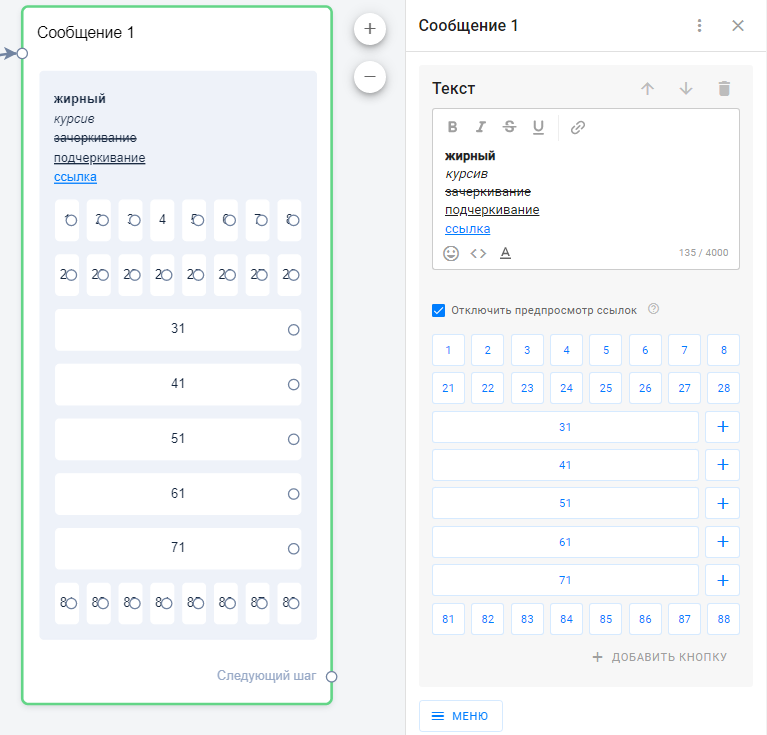
The buttons are moved by simple dragging.
To add a new row, click Add button.
To add a column, you have to press “+”.

Note: The buttons to the text message do not disappear and will scroll with it.
The person can always click on this button. It will work until it’s changed or deleted from the flow constructor.
When clicking the button from previous messages again, the person will return to this step in the chatbot. The execution of the current flow chain will be interrupted, and a new script that has been configured for this button will start.
To avoid repeated clicks, use the “” setting.
One click on the button
How to prevent Telegram messages from being resent by clicking buttons in previous messages?
There are two options. Choose the one that suits your funnel.
1. One-time buttons. They are suitable for multi-step flows in the “text” and “image” blocks and only for buttons with the “action” type.
Open the button settings and check the box ““, as shown in the screenshot below.
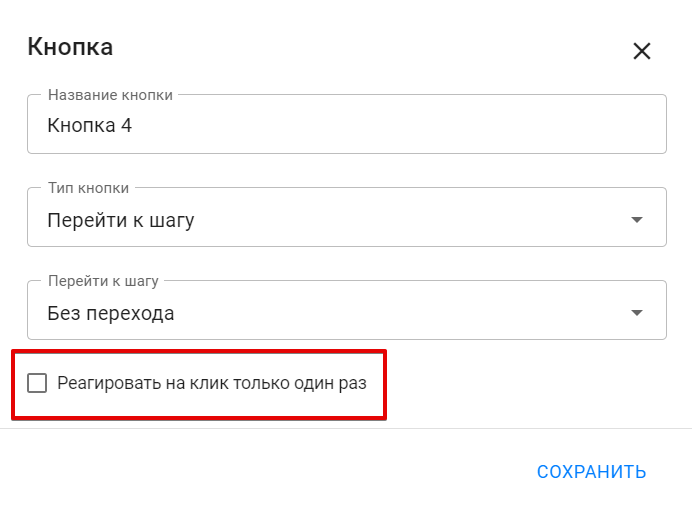
Please note!
- The click is remembered for 1 month. If you click the button again after a month, the click will work.
- If you manually resend a step with a button that indicates responding 1 time, the click will be triggered again.
- If you restart the flow from the beginning, the button response will be reset, and you will be able to click the button again.
2. For other cases, you can use a more detailed setting. It is suitable for the “Question” blocks and for buttons with the URL type.
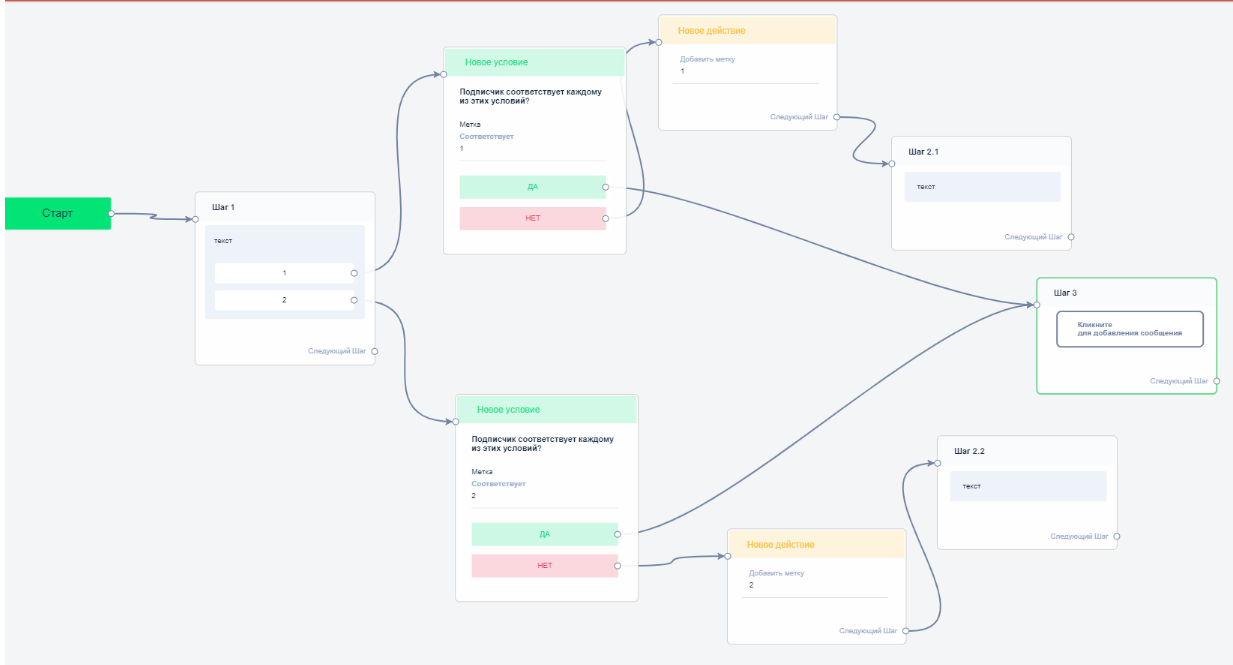
Set up the tag assignment after each step and check the presence of this tag before each step. If there is a tag, then the person can be returned to the step where they were. If there is no tag, then flow will continue to run.
An approximate scheme:
Button colors
For Telegram buttons in flows, broadcasting, automations and growth tools, you can choose a color:
- Default
- Blue
- Green
- Red
Buttons in the “Question” block
In the “Question” block, you can configure up to 20 quick response options. The name of such an element can contain up to 20 characters.
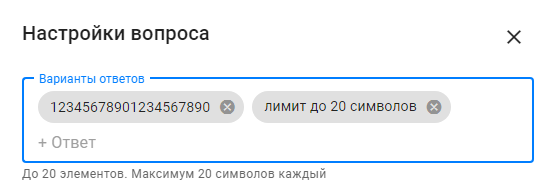
The buttons for quick answers to the “Question” in Telegram disappear with the next message, just like in other messengers.
Buttons in the “Image” block
You can add buttons to images without a text block only in Telegram flows.
Statistics in buttons
For Telegram:
- we track click statistics in URL type buttons;
- we don’t track statistics in action buttons;
- there are no statistics on clicks on quick answers in questions.
If you haven’t found the answer to your question, contact us in the chat in your profile or email hello@bothelp.io😃
Get 14 days of full functionality of BotHelp, a platform for creating broadcasting, autofunnels, and chatbots.
Sign up for BotHelp
Get 14 days of full access for free — enough to build your first bot and test it on real subscribers.
Create account
Была ли статья полезна?

