
To move from TargetHunter Moderator to the BotHelp platform, you need to transfer your subscribers, disconnect the community from TargetHunter Moderator and connect it to BotHelp.
Exporting subscribers
Select the community you need in TargetHunter Moderator, then go to the “Subscribers” section. If you don’t need to transfer all subscribers, use filters to select the ones you need. Then click “Subscriber actions” and click “Export”.
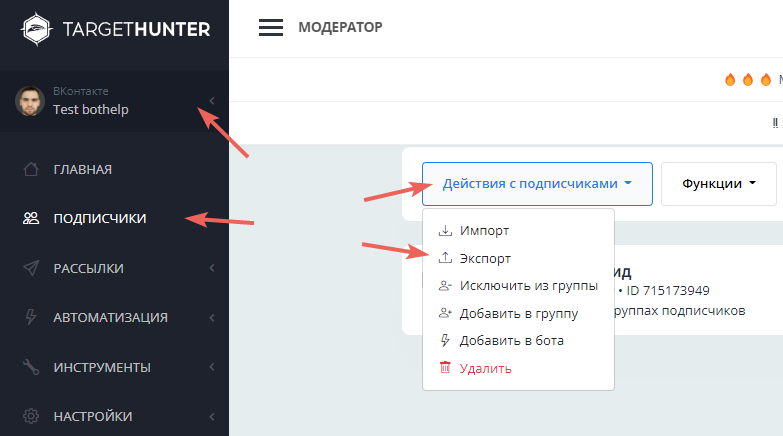
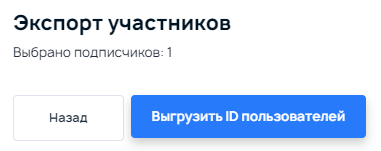
In the window that appears, click “Export user IDs”.
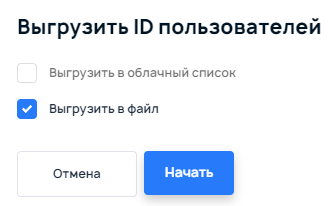
In the next window, check “Download file” and click “Start”. In a few seconds, a file with the list of IDs downloads — you’ll need it to upload to BotHelp.
Reconnecting the community
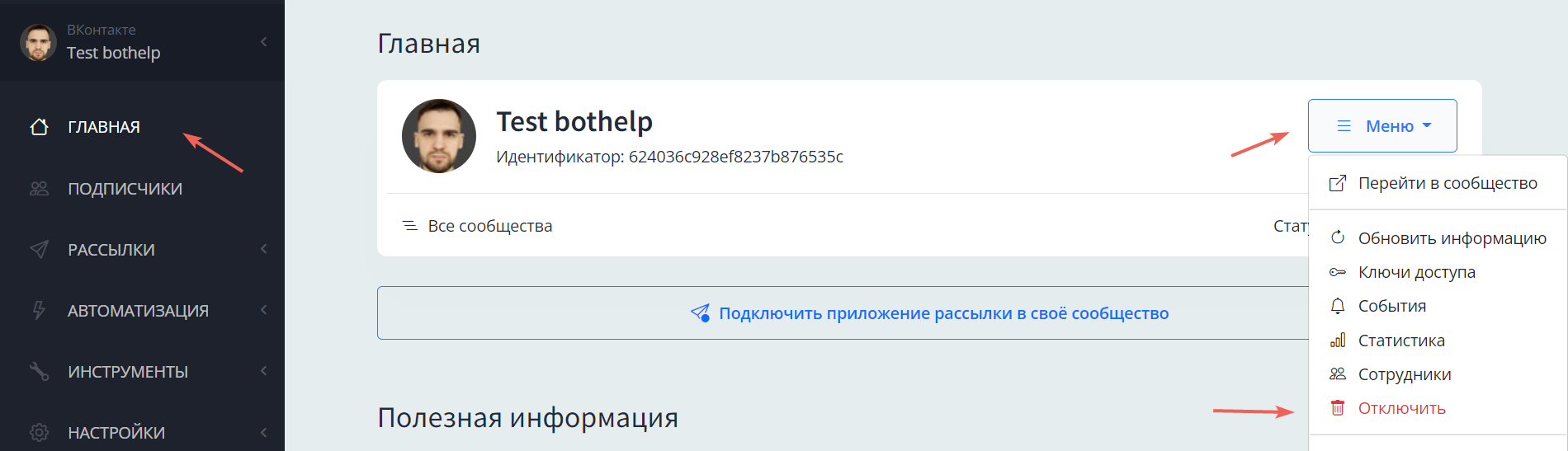
To disconnect the community from TargetHunter Moderator, go to the “Home” section and click “Menu”, then “Disconnect”. In the window that appears, click “Run”.
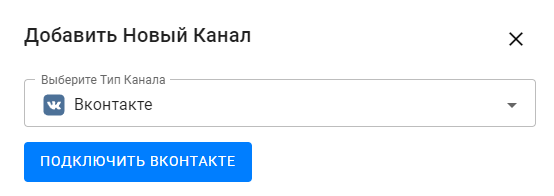
Go to your BotHelp account, Settings — Channels. Click “Add New Channel”, select Vkontakte in Choose Channel Type and click “Connect Vkontakte”.
Allow access:
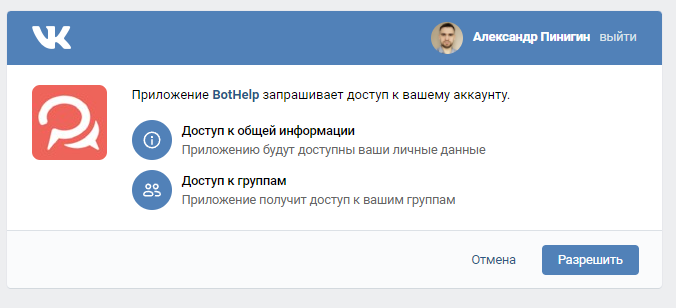
Select the group you need in Choose VK page and click “Add channel”, then click “Allow”. After that, a message about the successful channel connection should appear.
Importing subscribers
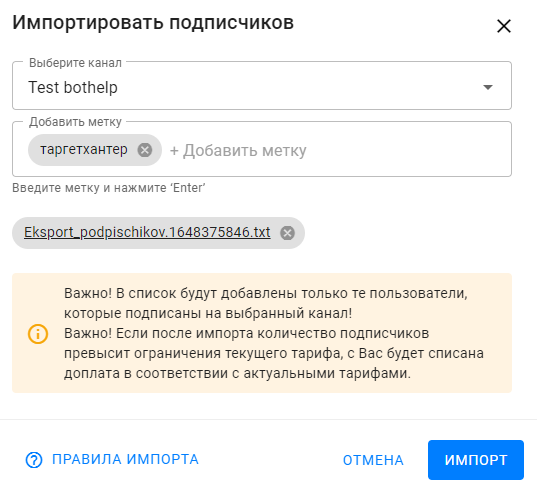
Now upload the subscribers. To do this, in your BotHelp account go to People — “Import”. Click the “Import” button. Select the channel you need (the VKontakte community). Add a tag to see which subscribers were transferred from TargetHunter Moderator. Select the file with their IDs that you downloaded earlier and click “Import”.
Important! You can’t import subscribers of one channel into another channel (for example, import subscribers from one VKontakte community into another VKontakte community).
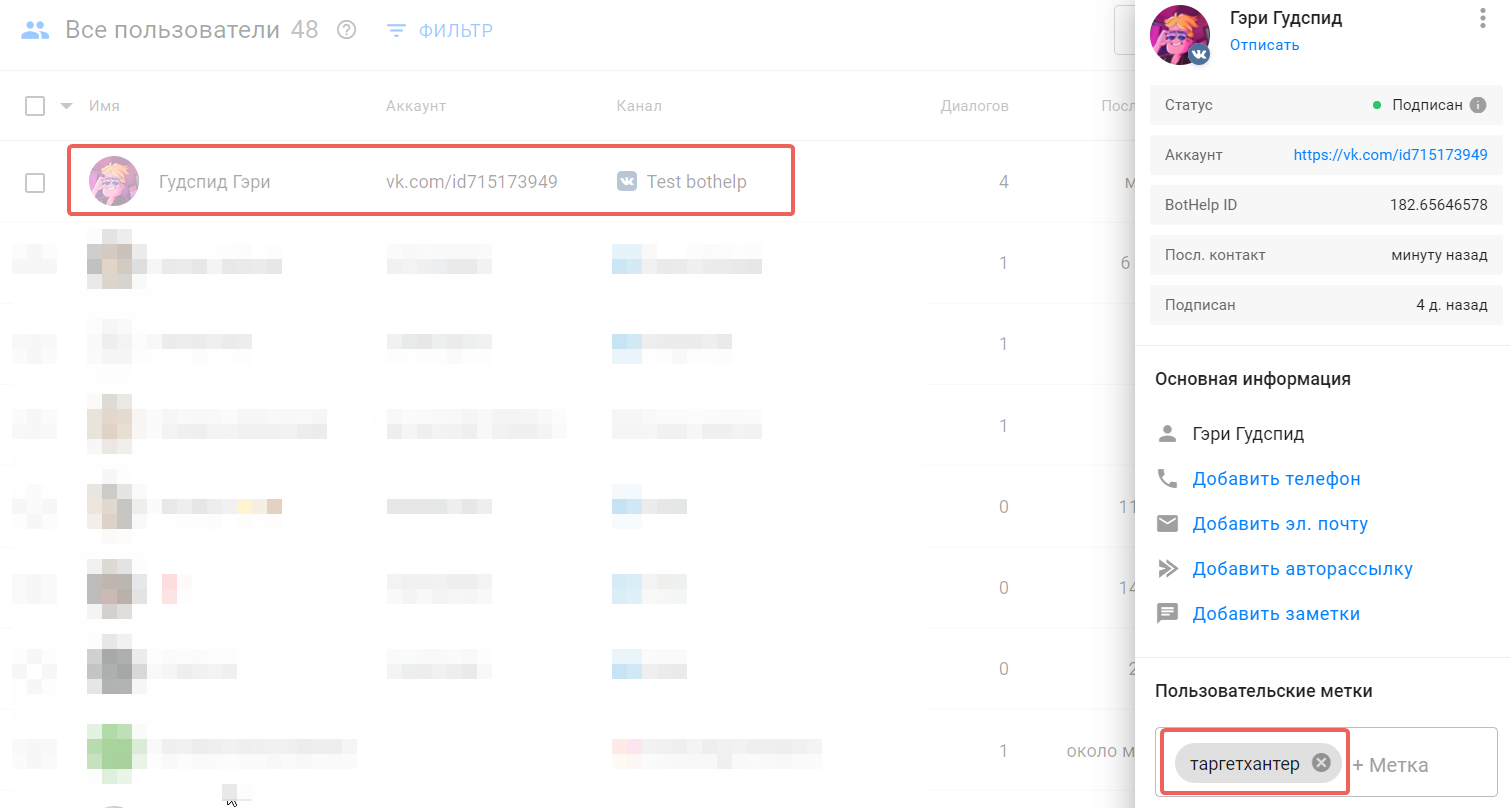
Go back to the subscriber list and check that the right subscribers were added and got the corresponding tag.
Repeat these steps for each flow you’re moving from TargetHunter Moderator to BotHelp.
Learn more about importing subscribers in this article.
If you did not find the answer to your question, feel free to contact us in the chat inside your dashboard, message us on Telegram at BotHelpSupportBot or email us at hello@bothelp.io
Enjoy the full functionality of the BotHelp platform for creating broadcasts, automated funnels, and chatbots — free for 14 days.
Sign up for BotHelp
Get 14 days of full access for free — enough to build your first bot and test it on real subscribers.
Create account
Была ли статья полезна?

