
You can create a “Story Mention” growth tool in your profile. With this setup, the person who tags you in the story will automatically receive a Direct Message, and the flow chain will start (if the option is enabled).
How to set up
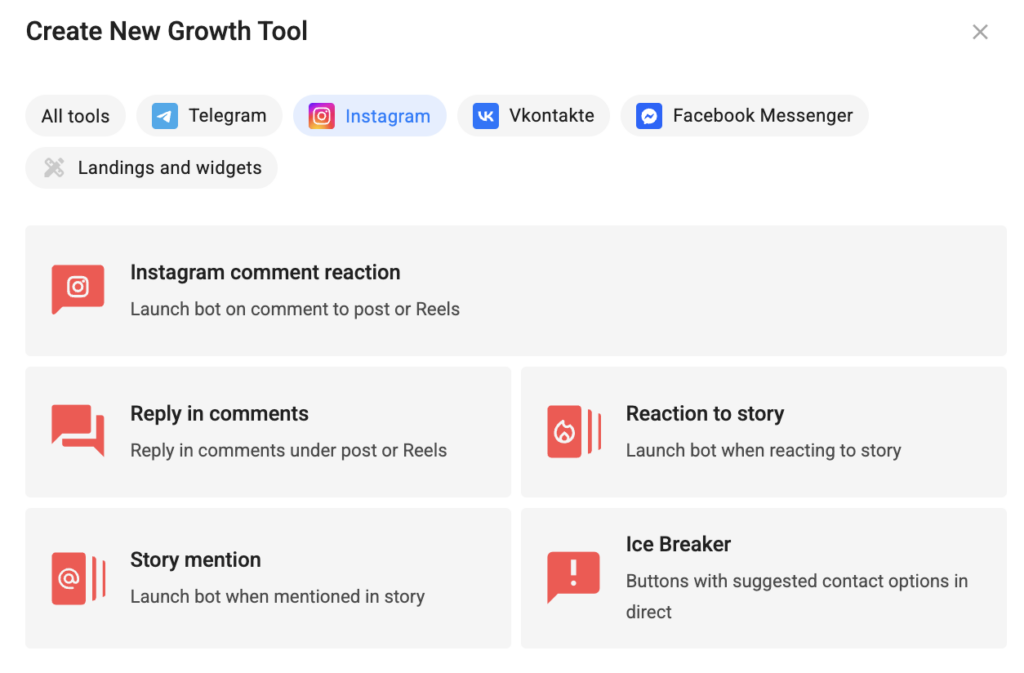
- In your profile, go to the Growth Tools section.
- Click the New Tool button.
- In the window that opens, select Story Mention.
- In the new window, in the “Trigger Settings” tab, select the desired Instagram* channel and click Next.
- If needed, enable Ignore repeated launch and specify the ignore period by entering a number and selecting Minutes or Hours.
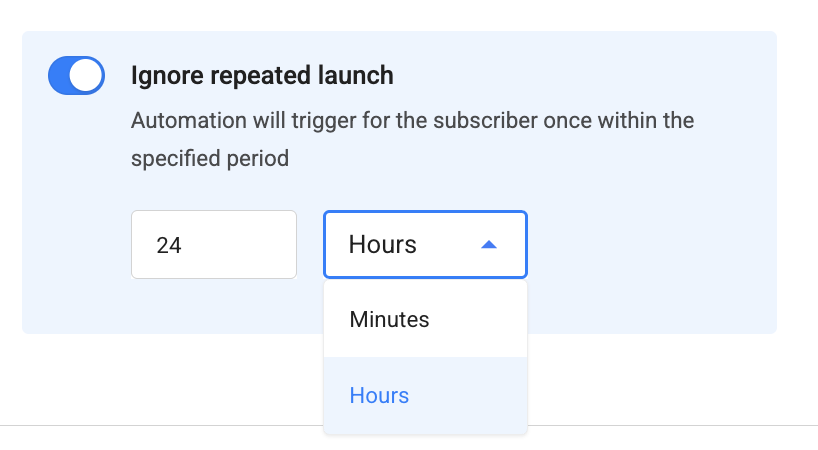
During this period, a new comment from the same subscriber under the same post will not trigger the flow again. The flow that has already started continues without interruption.
By default, this option is disabled, so every comment that passes the filter triggers the flow again.
The minimum value is 1. The maximum is 180 when Minutes is selected and 99,999 when Hours is selected.
Important: If you enter a value above the maximum, the tool cannot be saved and an error will be displayed in the field.
How the ignore period works
- The countdown starts with the first trigger and is tracked separately for each subscriber + tool pair.
- Repeated triggers during the ignore period do not extend or reset the countdown. The window remains fixed from the first trigger.
- When the period expires, the next comment triggers the flow again and starts a new ignore period.
- The option applies only to this specific Growth Tool. Another Growth Tool or keyword can trigger independently.
- If you change the ignore period or disable the option, the changes also apply to ignore periods that are already in progress. The remaining time is recalculated according to the new settings, and disabling the option immediately removes the restriction.
- When you duplicate a tool within the account, the option’s status and ignore period are copied along with it.
- The option takes effect from the moment it is enabled. Triggers that occurred before it was enabled are not included in the countdown.
- On the second page, in the “Actions” tab, select the actions that should be performed after you are mentioned by the person. You can type any message. It will be sent to the person’s Direct Messages before the actions are performed.
- After you have set up the message and all the necessary actions, click Save and Activate.
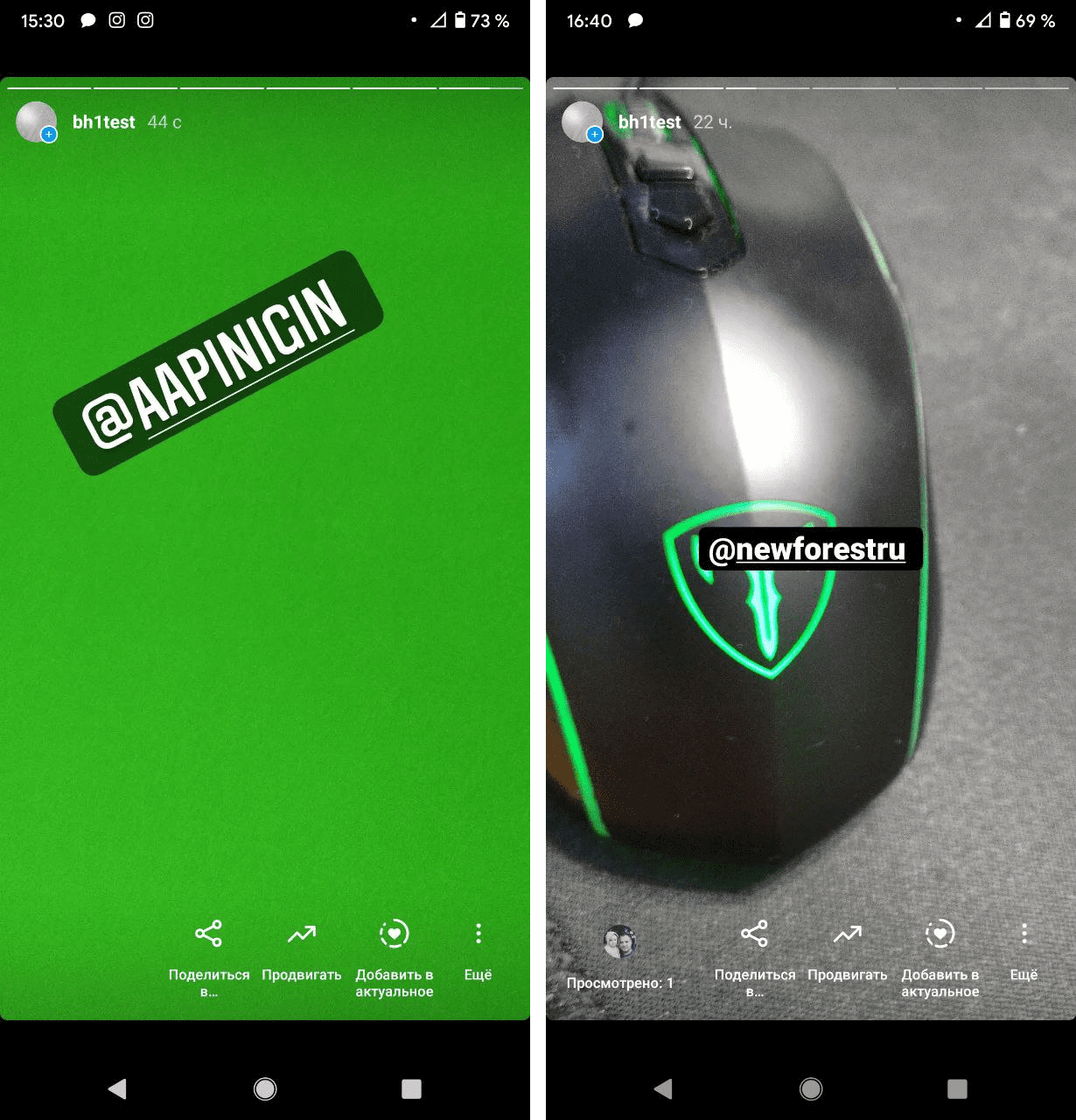
Now, when a person tags you in their story, they will automatically receive a Direct Message.
A story with a mention looks something like this:
* Instagram is owned by Meta, an organization recognized as extremist and banned in Russia.
If you haven’t found the answer to your question, contact us in the chat in your profile or email hello@bothelp.io
Get 14 days of full functionality of BotHelp, a platform for creating broadcasting, autofunnels, and chatbots.
Sign up for BotHelp
Get 14 days of full access for free — enough to build your first bot and test it on real subscribers.
Create account
Была ли статья полезна?