
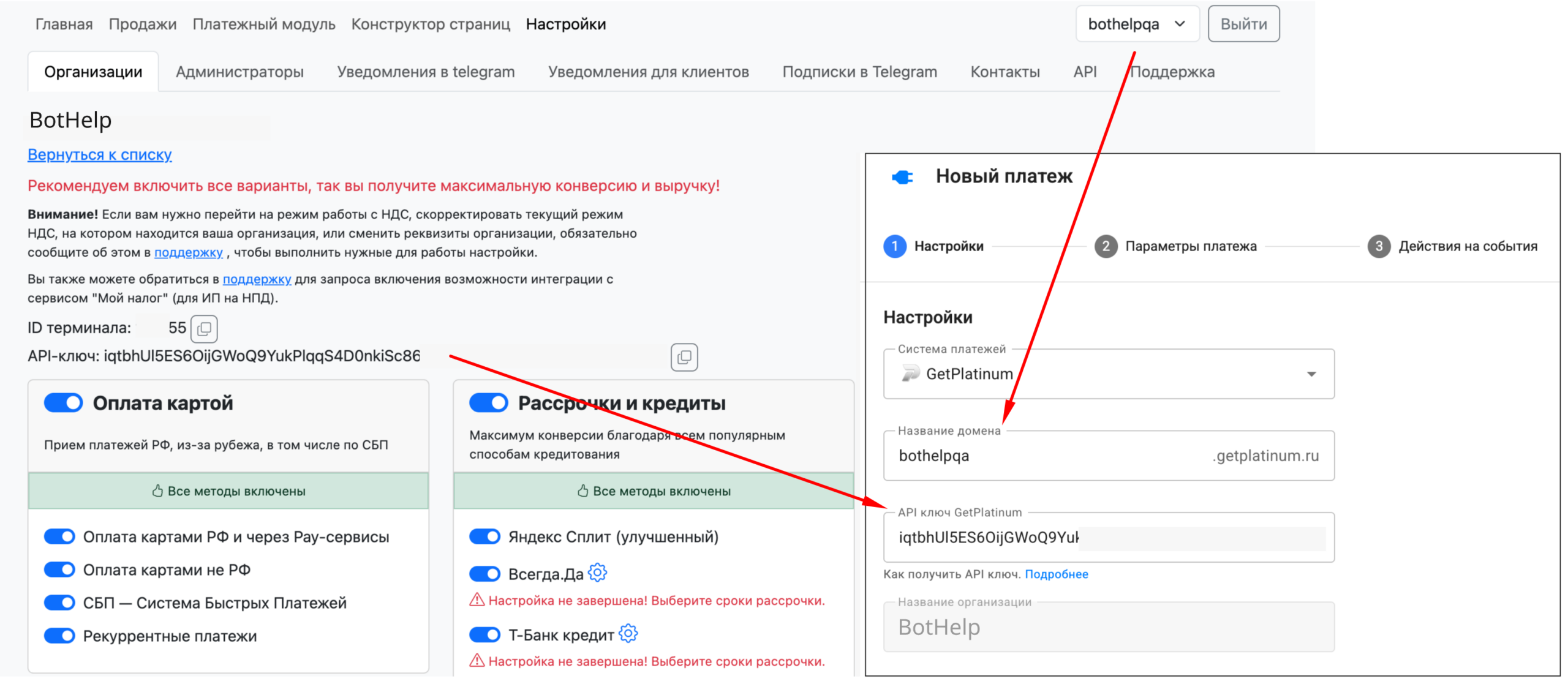
In your BotHelp account, go to Automation → Payments → New payment page and select GetPlatinum.
Step 1. Connecting GetPlatinum
-
Specify:
-
the organization domain from GetPlatinum (the Domain Name field);
-
the API key (in GetPlatinum: Settings → the gear icon next to your organization → Copy API key) in the API key GetPlatinum field.
-
-
If the data is correct, your organization name appears below. If the API key is wrong, the organization won’t appear.
-
Only one GetPlatinum account can be connected to one BotHelp account
- One GetPlatinum account can be used in several BotHelp accounts.
Step 2. Payment Options
At this step, you create the payment itself.
Two payment types are available:
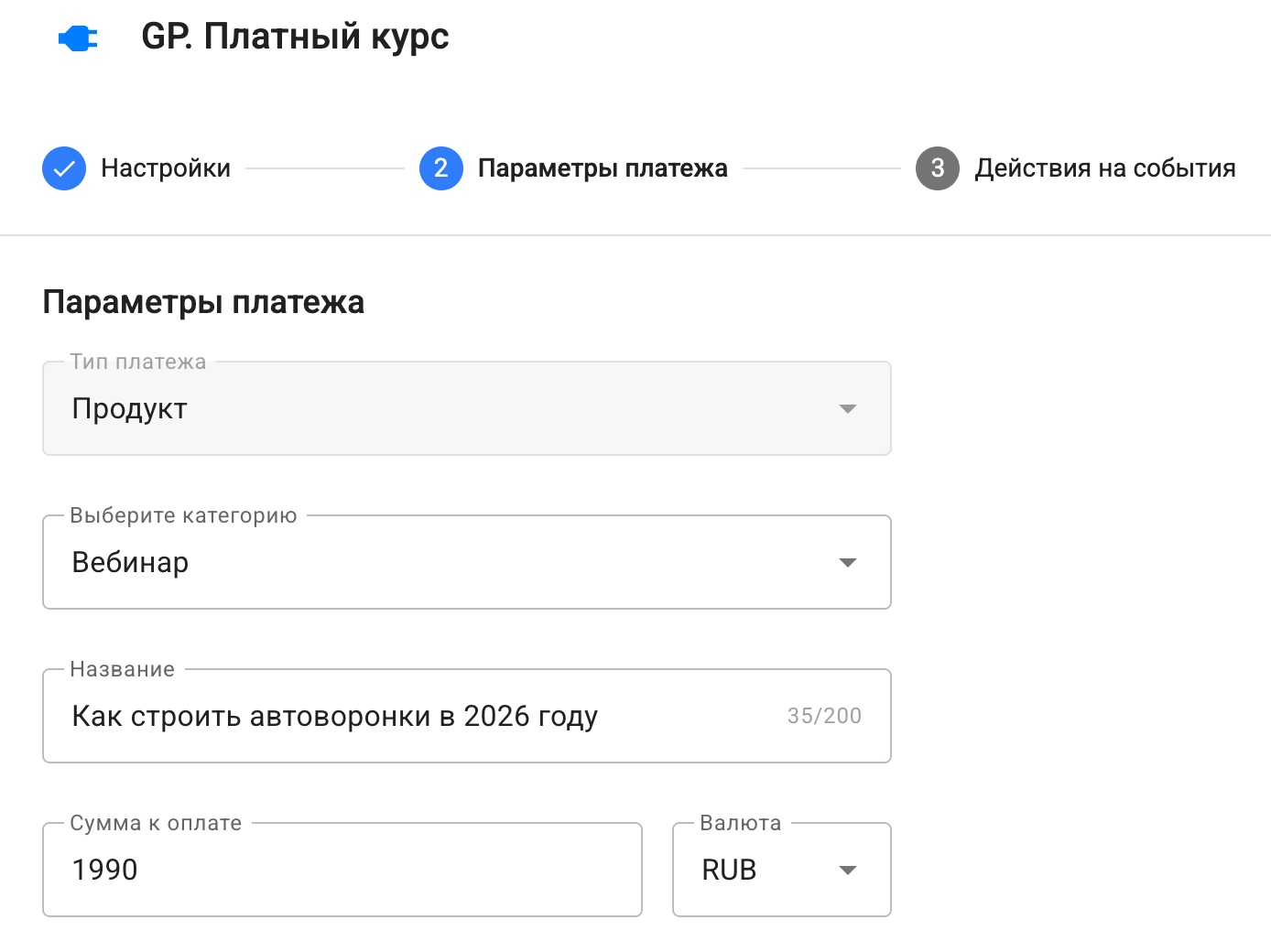
1. Product (one-time payment)
Suitable for selling courses, materials, services or one-time access.
Specify:
-
Category — what you sell
(if there’s no exact match, choose the closest one: this is a Russian tax service requirement — the receipt must clearly show the type of service provided). -
Name of the payment link that opens the payment page (it depends on the account name, not on a specific offer).
-
Amount — how much the customer pays.
Available currencies: RUB / KZT / USD / EUR.
2. Subscription (recurring payments)
Suitable for clubs, services and subscription access.
Available only for payments with Russian cards (SBP, pay services)
Specify:
-
Everything the same as for a product.
-
Cost of regular payments — how much is charged each period.
-
Cost of the first payment — optional
(for a discount or a trial period). -
Duration of the subscription — how often the charge happens: every so many days / weeks / months / years.
-
Number of possible extensions:
-
0— unlimited; -
any other number — a limited number of charges.
After the first successful payment, the subscription becomes active, and further charges happen automatically.
-

6. Payment redirect
In the Payment redirect block, you can set your own page that the subscriber goes to after payment instead of the standard BotHelp page. The field is available for both payment types — Product and Subscription.
In the Page link (successful payment) field, paste the full link (with http:// or https://) to your thank-you page, product access page or the next step of your funnel. After a successful payment, the subscriber goes exactly there.
- The field is optional: if you leave it empty, after payment the subscriber lands on the standard BotHelp success page.
- For a one-time payment (Product), BotHelp handles the redirect. For a subscription, the payment link is inserted with the macro
{%payment_3%}, and GetPlatinum handles the redirect after payment.

Step 3. Actions on events
You can run automations depending on the payment status.
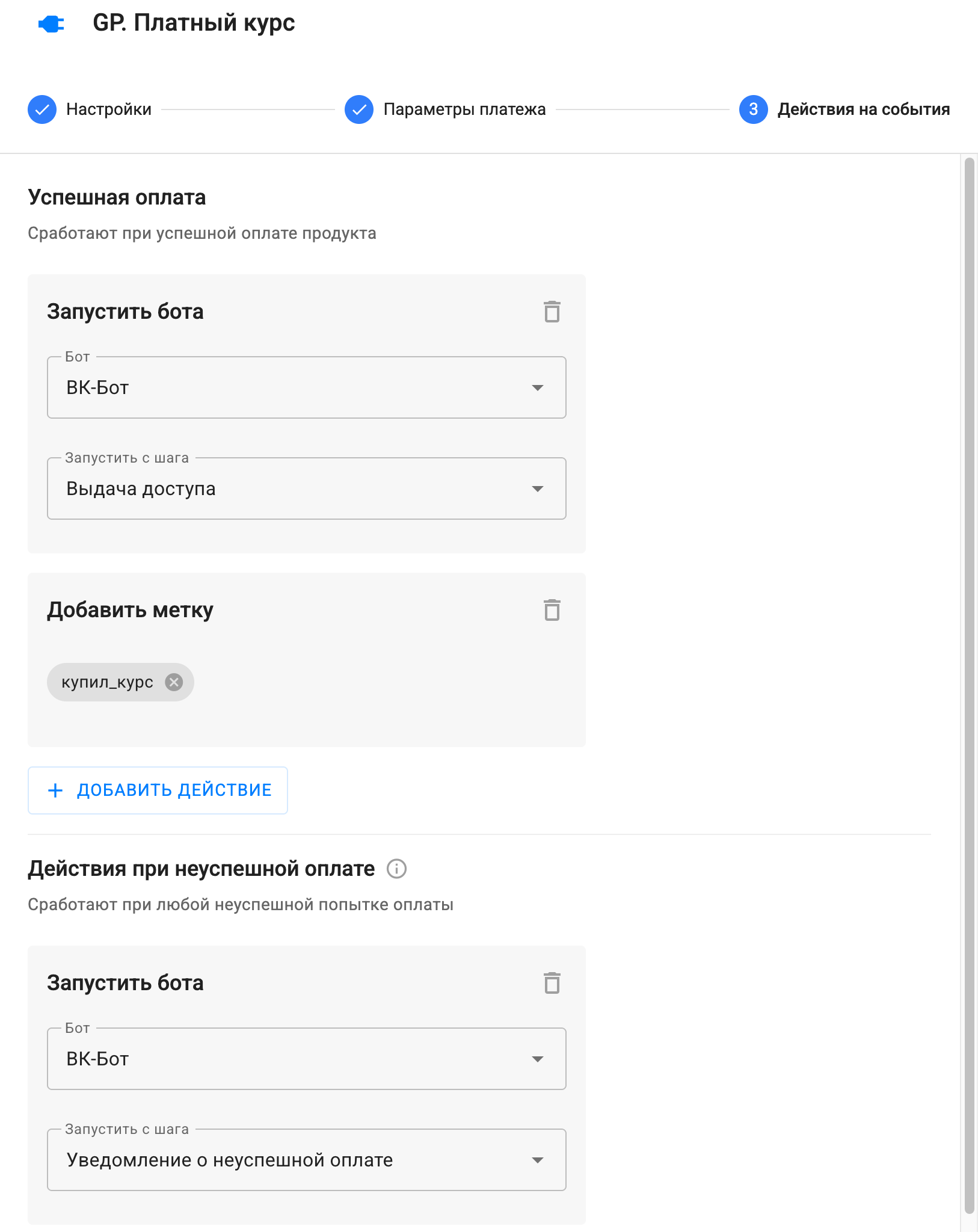
For a product:
-
Successful payment – Usually used to deliver a paid product.
-
Unsuccessful payment – Triggers if the user tried to pay but the payment failed
(suitable for reminders).
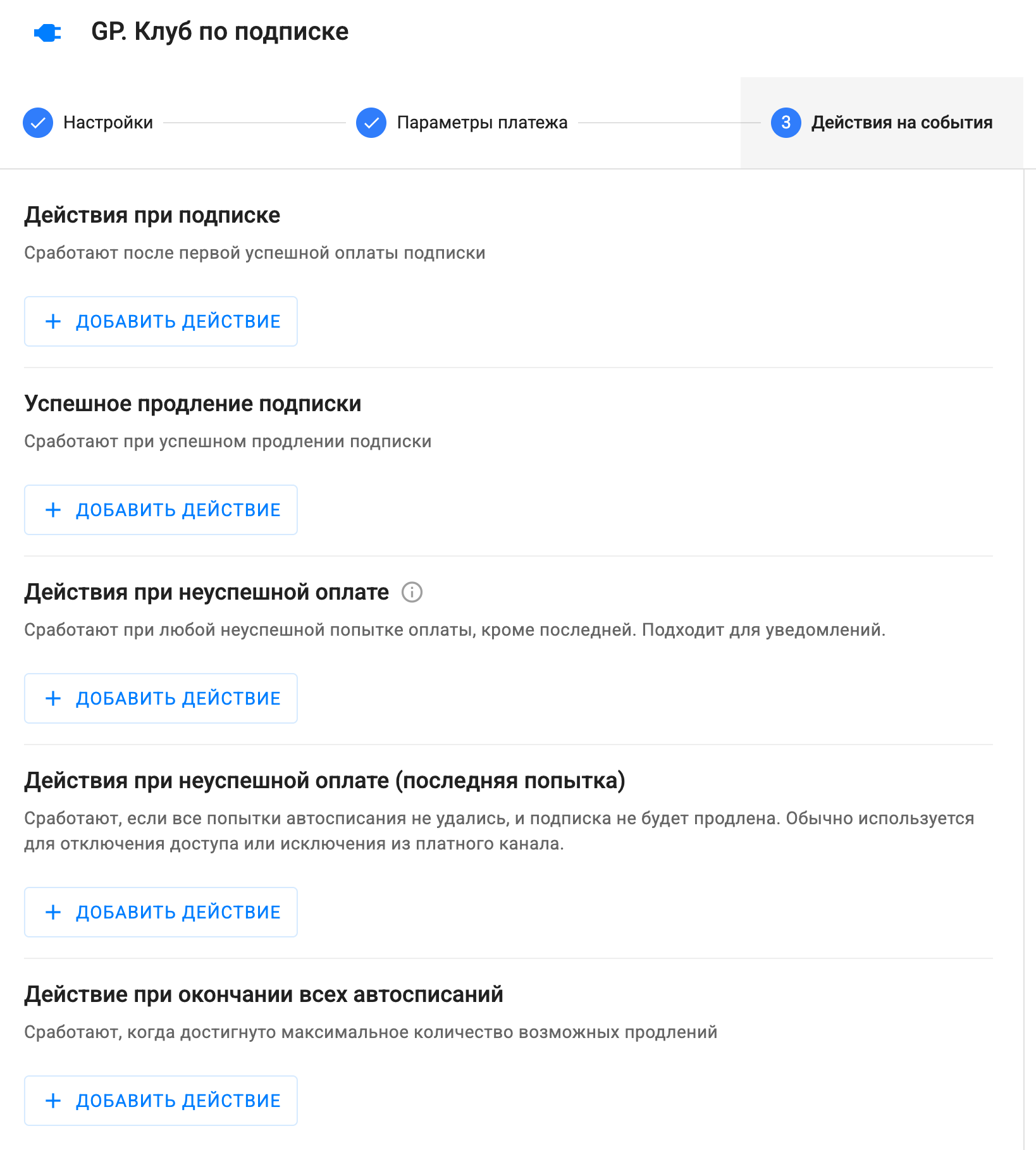
For a subscription:
-
Actions on subscription – The first successful payment — grant access.
-
Successful subscription renewal – Suitable for extending access, awarding bonuses, notifications.
-
Actions on unsuccessful payment – Any payment error except the last attempt (for example, insufficient funds or an expired card).
-
Actions on unsuccessful payment (last attempt) – All charge attempts failed — the subscription won’t be renewed.
-
Action on the end of all automatic payments – Triggers when the maximum number of possible renewals has been reached.
If you did not find the answer to your question, feel free to contact us in the chat inside your dashboard, message us on Telegram at BotHelpSupportBot or email us at hello@bothelp.io
Enjoy the full functionality of the BotHelp platform for creating broadcasts, automated funnels, and chatbots — free for 14 days.
Sign up for BotHelp
Get 14 days of full access for free — enough to build your first bot and test it on real subscribers.
Create account
Была ли статья полезна?

